> ## Documentation Index
> Fetch the complete documentation index at: https://docs.incident.io/llms.txt
> Use this file to discover all available pages before exploring further.
# Using a bot account for integrations
> Keep integrations working even after the person who set them up leaves your organization.
**What are bot accounts?**
Bot accounts are dummy accounts on the system you wish to integrate with, allowing you to connect integrations with your systems without them being attached to a specific user.
**When should you use bot accounts?**
Bot accounts are recommended to be used with any of our third-party integrations that require you to Authenticate via a user's account.
**When Bot accounts are recommended:**
For example, with our [Jira integration](/integrations/jira) you are prompted to give permissions for incident.io to take action on Jira's side.
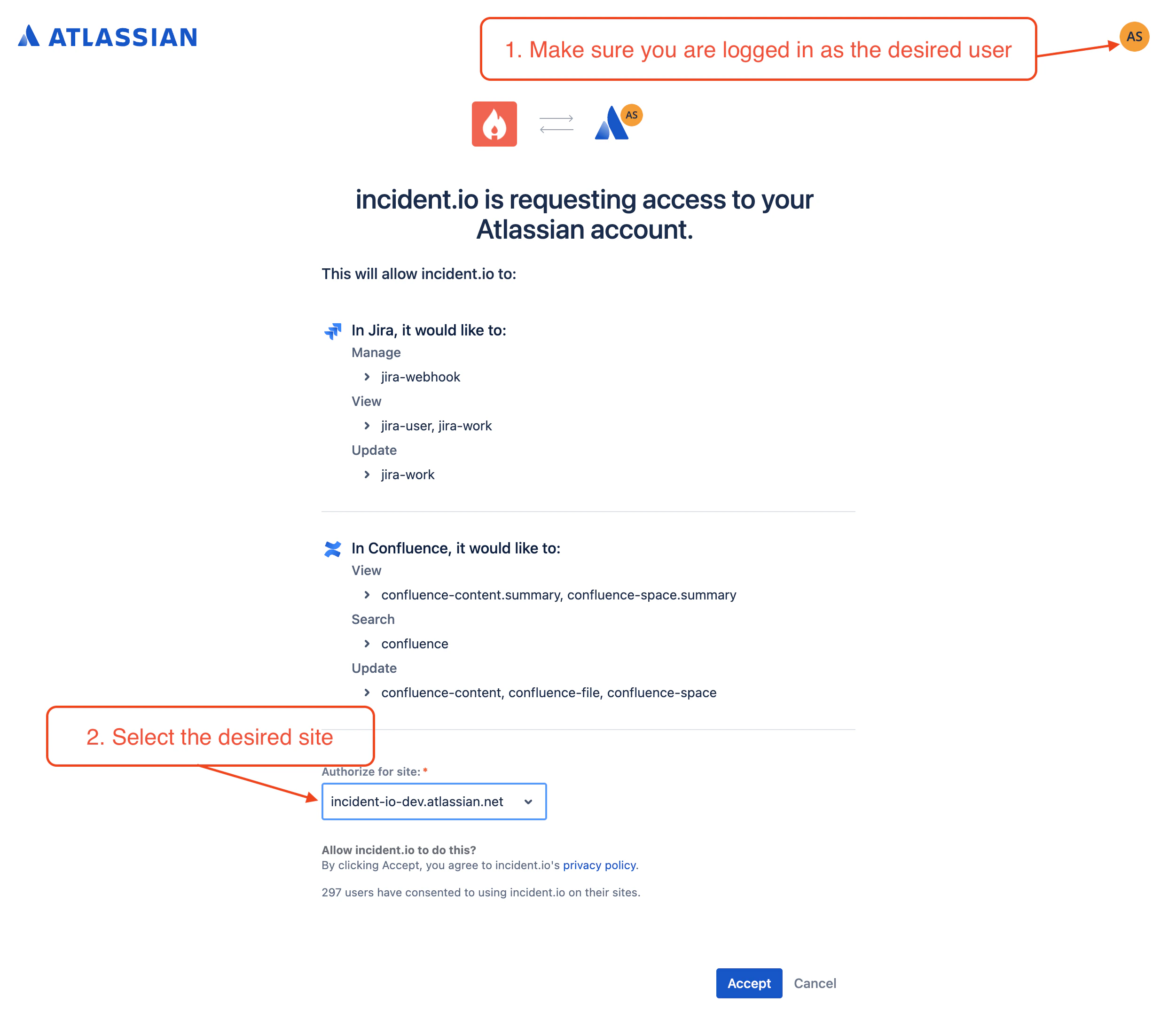 In this case, utilizing a Bot account would be useful to ensure that regardless of company user changes, the integration will continue to work as expected and not be tied to a specific user that would cause the integration to fail if that user leaves the company.
**When are bot accounts not needed:**
In this case, utilizing a Bot account would be useful to ensure that regardless of company user changes, the integration will continue to work as expected and not be tied to a specific user that would cause the integration to fail if that user leaves the company.
**When are bot accounts not needed:**
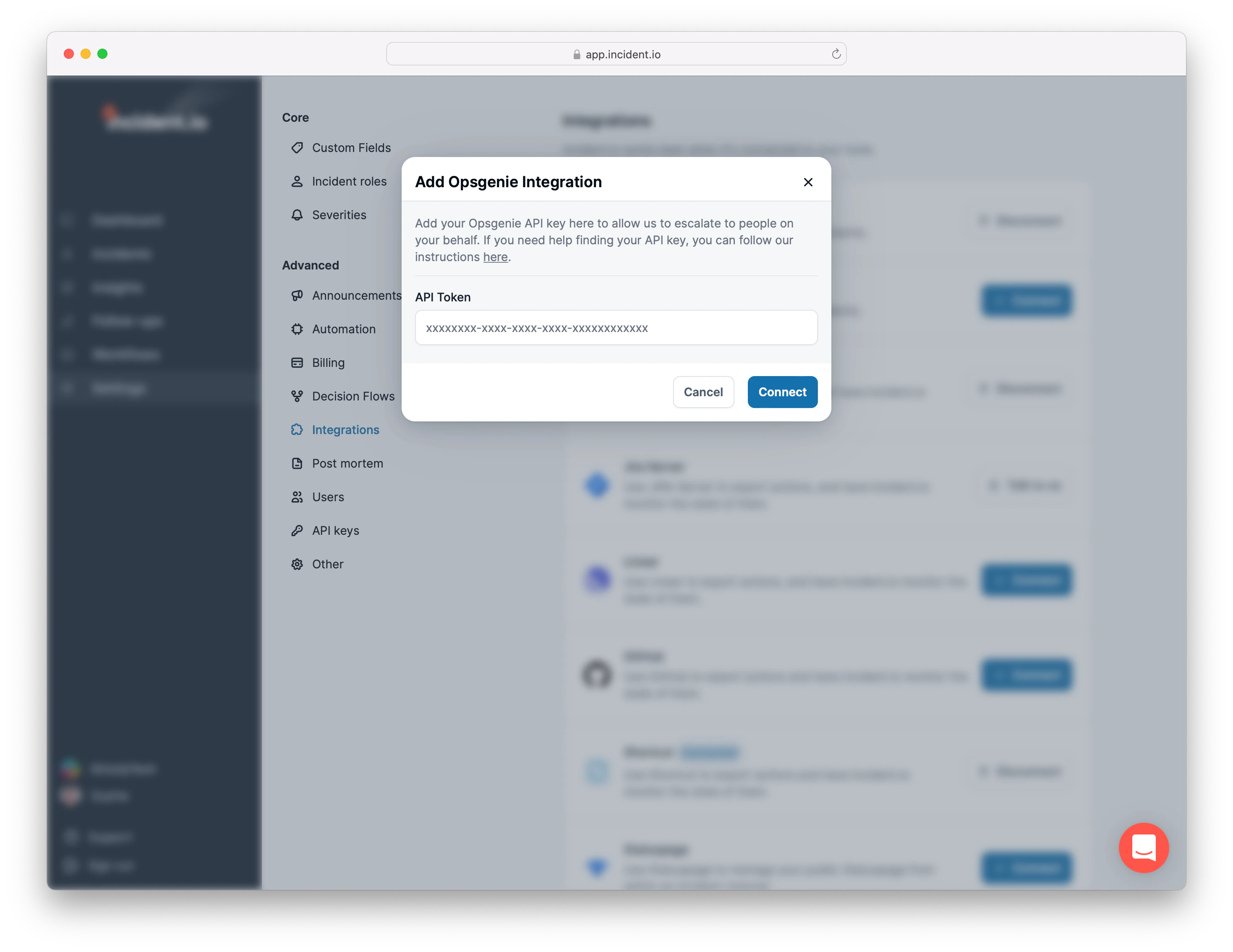 In the case of **Opsgenie** [integration](/integrations/opsgenie), we ask you to set up an API key on the account and copy-paste it into our settings page, which is globally set to the **Opsgenie** account and is not tied to a user, so no Bot account is needed as the integration will not lose permission if the user leaves the company.
**Challenges of not Using Bot Accounts**
The user account used for the integration gets deactivated:
* This would cause the integration to break as the user is no longer an active user in the third-party app, causing disruption to your incident management process.
## FAQs
No. incident.io supports connecting only one account per integration type per organization. For example, you can only have one Sentry account connection, one GitHub account connection, one Notion account connection, or one Google account connection.
If different teams in your organization use separate accounts for the same service, you'll need to choose one primary account to integrate with incident.io.
In the case of **Opsgenie** [integration](/integrations/opsgenie), we ask you to set up an API key on the account and copy-paste it into our settings page, which is globally set to the **Opsgenie** account and is not tied to a user, so no Bot account is needed as the integration will not lose permission if the user leaves the company.
**Challenges of not Using Bot Accounts**
The user account used for the integration gets deactivated:
* This would cause the integration to break as the user is no longer an active user in the third-party app, causing disruption to your incident management process.
## FAQs
No. incident.io supports connecting only one account per integration type per organization. For example, you can only have one Sentry account connection, one GitHub account connection, one Notion account connection, or one Google account connection.
If different teams in your organization use separate accounts for the same service, you'll need to choose one primary account to integrate with incident.io.