It’s now possible to choose exactly when and how you want to create incidents through alert routes! In this article, we’ll walk you through the steps to customize when incidents are automatically declared when an alert is received based on your Teams.
Note: We recommend declaring Triage incidents alongside your paging, as this allows your team to have a dedicated spot to collaborate, and if your team decides this is not an incident, you can simply decline it! Otherwise, if this turns into a real incident you already have all your troubleshooting context in the Slack channel.
Head over to the alert sources tab within the incident.io dashboard.
Create a new alert source and follow the steps to set it up.
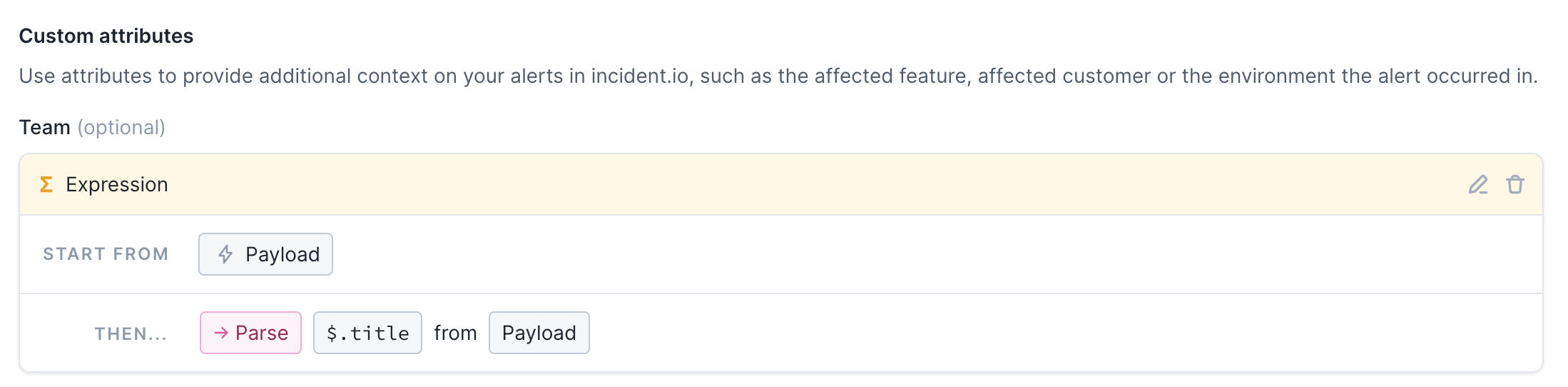
We’re going to create a custom attribute for the Team associated with this alert, which we’re going to parse from the title attribute of the alert payload.
Now go to the alert routes tab and create a new alert route.
Follow the steps to select your new alert source and choose how you want to filter and group these alerts.
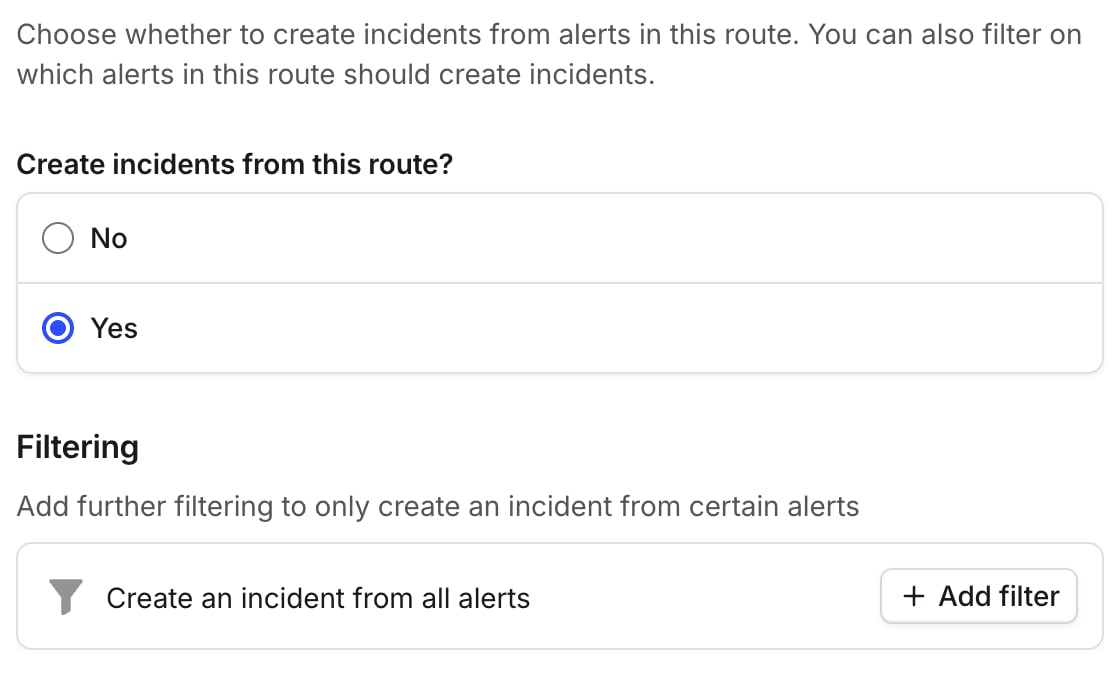
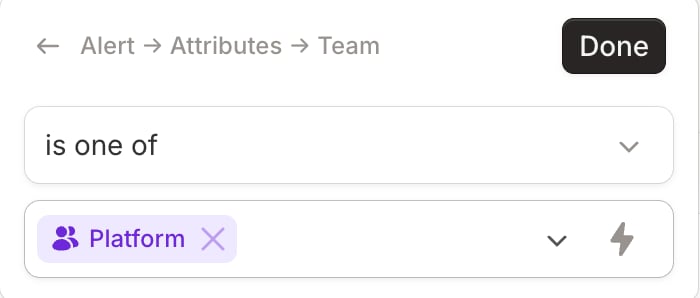
In the ‘Create incidents’ section you can click ‘Add filter’ under ‘Filtering’ to choose the conditions under which you’d like incidents to be automatically declared.
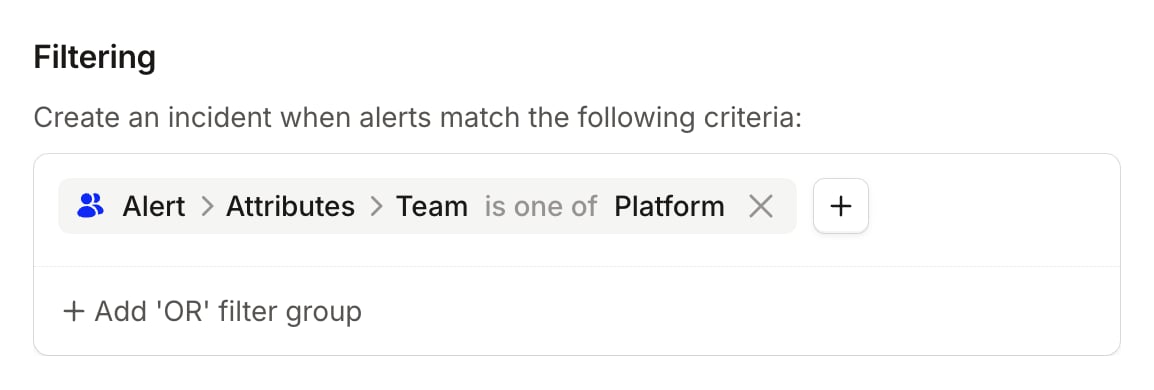
In this case, under ‘Create an incident when alerts match the following criteria’, we’ll only declare incidents when the Team is one of the teams we’ve chosen
Make sure to set up an escalation path so that you can still be paged for alerts that are assigned to other teams.
Click ‘Continue’ to save your changes and create your alert route.
Now, any alerts that are processed through this alert route will still page you and your team through the escalation path that you set up, but incidents will only automatically be declared for any alerts that are relevant to the teams you chose.
Something missing?We’re constantly developing new features and polishing our current ones to help you do your best work. If there’s something you’d like to see, send us a message to support@incident.io
Was this page helpful?
Assistant
Responses are generated using AI and may contain mistakes.