

To use the feature, you’ll need access to incident.io On-call and a PagerDuty integration. See here for details on our PagerDuty integration and how you can connect it to your incident.io account. As part of the integration process, we’ll do what we can to link users in PagerDuty to users in the incident.io app. Learn more about this process here. Once your PagerDuty integration is connected and your PagerDuty users have been added to the incident.io catalog, you can start importing escalation policies and schedules from PagerDuty. If you’re an OpsGenie user, we also support importing schedules and escalation policies from OpsGenie, so if you have overrides on your schedules in Opsgenie, now when you import those schedules (or escalation paths/policies that reference those schedules) we’ll now automatically import any overrides on that schedule too.
Current API limitations mean that we’ll sync your schedules and escalation policies from an external provider once a day (at around 1000UTC). This means that any changes you make to external escalation policies and schedules won’t be visible to incident.io until 1000UTC the following day.
When you import from PagerDuty, we’ll replicate the behavior of your existing escalation policies and schedules but won’t connect them to alert sources or routes. This lets you verify and experiment with your configuration without paging any users.
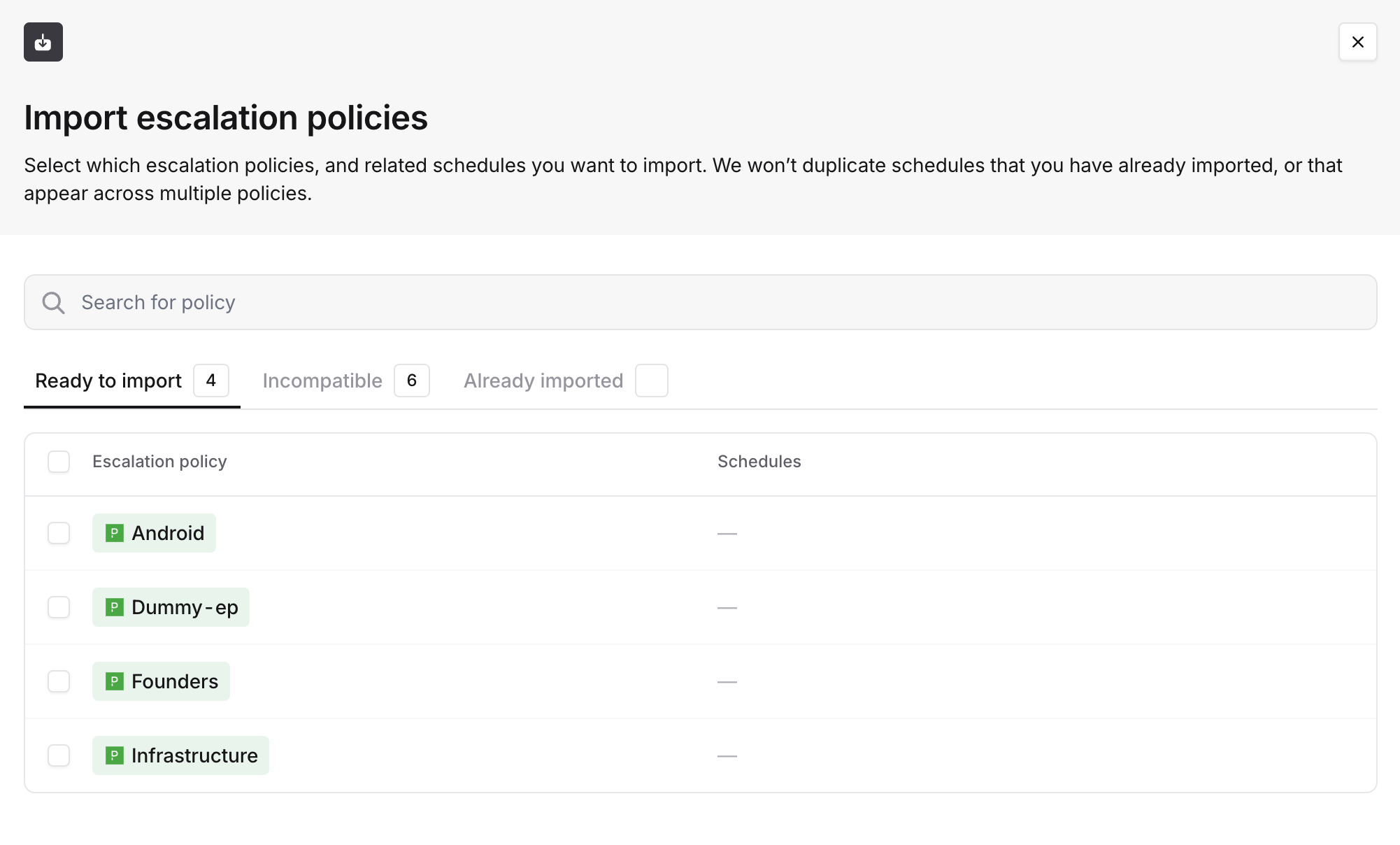
Opening the import escalation policies drawer will list your PagerDuty escalation policies and the state that they’re in. Select any that you’d like to import from the Ready to import list and they’ll be imported, along with any schedules that they reference

Skipping onboarding notifications during import
When you import schedules or escalation paths, any users going on-call for the first time will normally receive an onboarding notification (via email, Slack, and push notification) letting them know they’ve been added to on-call and prompting them to set up their contact methods and notification preferences.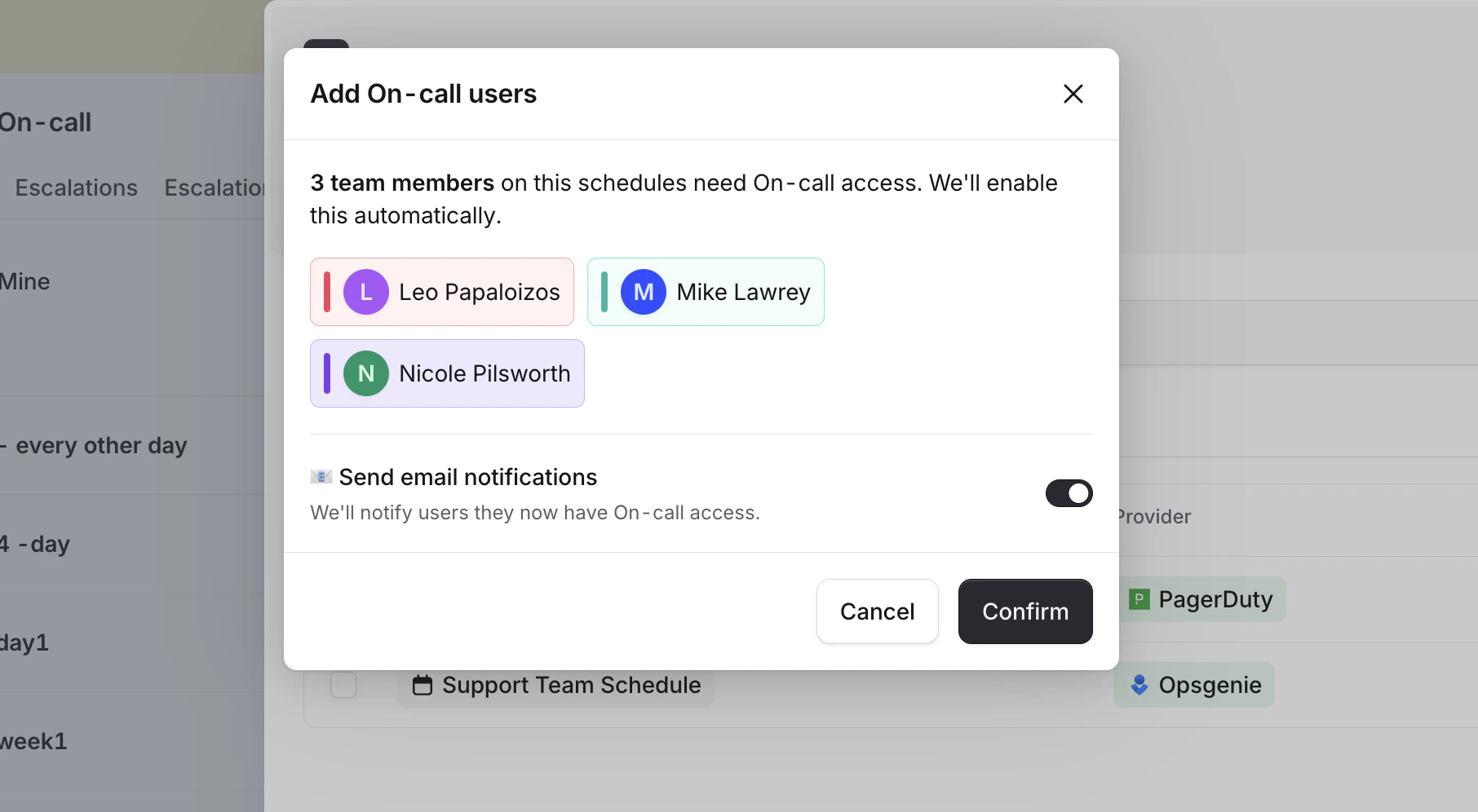
Even when notifications are skipped, users are still marked as onboarded internally — so they won’t receive duplicate
notifications if you import additional schedules later. Users will still receive the standard “You are currently on
call” notification at the start of their first on-call shift, whenever that may first happen.
Importing schedules and escalation policies is a one-time operation. Once they’ve been imported, we won’t continue to sync them with PagerDuty. If you’d like to update a schedule or escalation policy with changes from PagerDuty, you can delete the existing schedule or escalation policy in incident.io and re-import it.