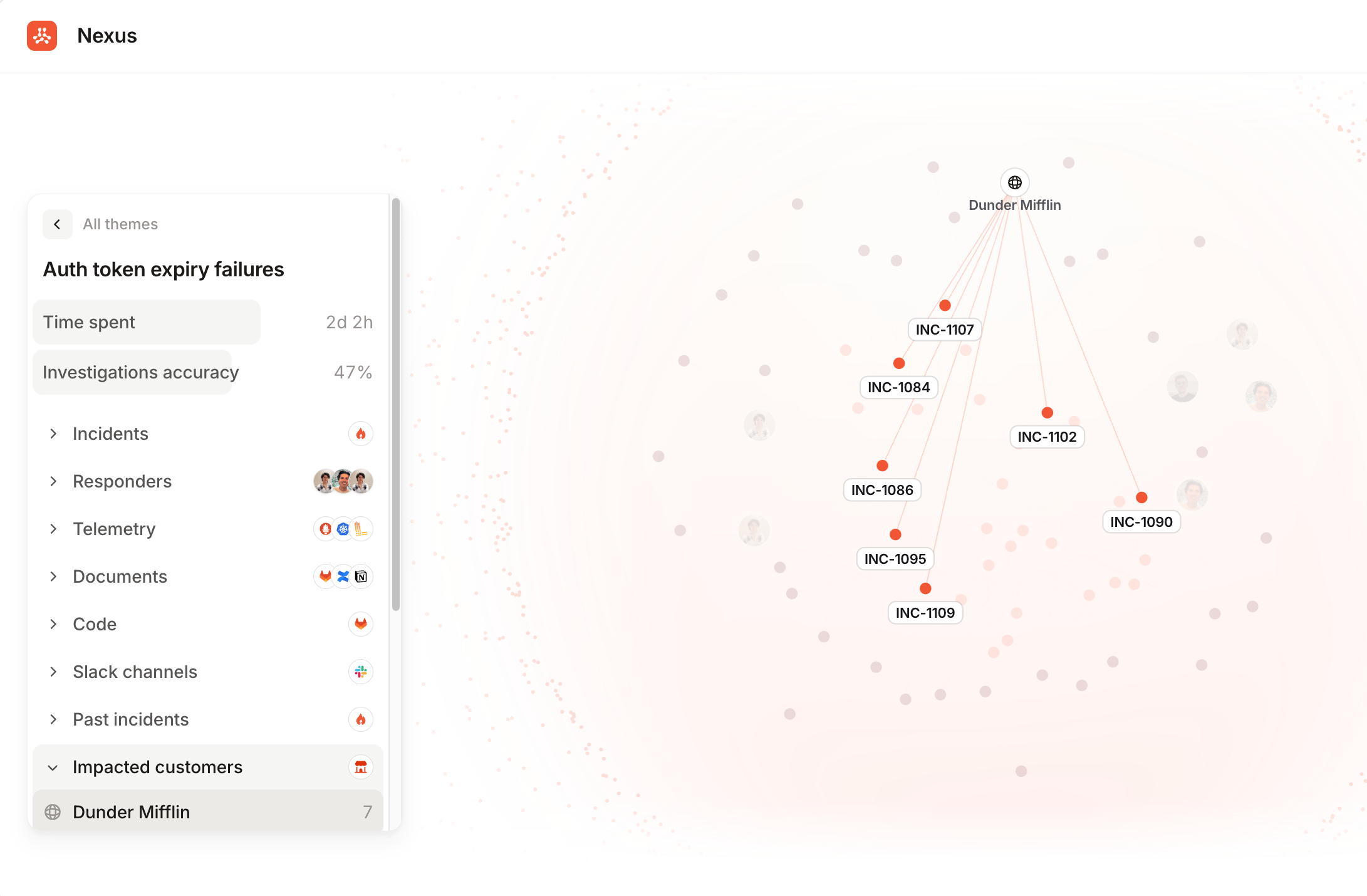
The catalog is where incident.io holds the structure of your organization: your services, the teams that own them, and how everything depends on everything else. It’s one of the richest things Nexus knows about you, and it works across the whole platform, not just Investigations. For Nexus, the catalog is the map. It’s what turns a pile of incidents into a picture of your organization: which services keep failing, which customers keep getting hit, which teams keep absorbing the work, and which dependencies show up behind unrelated-looking problems. Without it, incidents are a list. With it, they’re connected to the things they happened to. It’s also what the agent reads when you ask who owns a service or what sits downstream of it.
The Nexus graph showing the auth token expiry failures theme, with incidents linked to an impacted customer, and a
panel breaking the theme down by incidents, responders, telemetry, documents, code, and Slack
channels

A theme in Nexus, with the incidents in it connected to the customer they impacted.

Using the catalog

Set up the catalog and understand how it’s structured.

Importing data

Populate the catalog from Backstage, Cortex, OpsLevel, and other sources.

Teams

Model your teams and connect them to the services they own.

What data to add

Decide what belongs in your catalog and how to shape it.