

How rotations are calculated
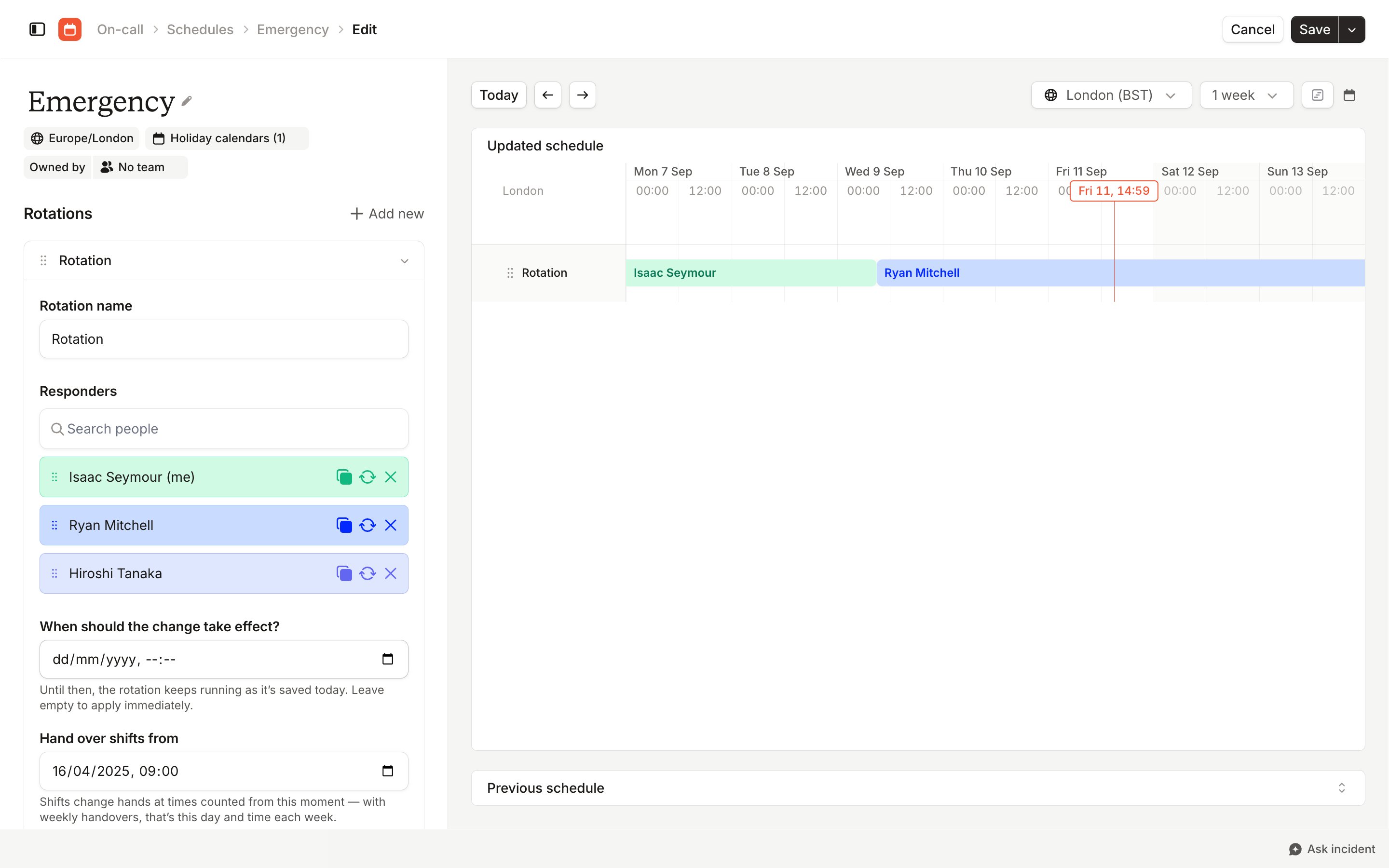
When should these changes take effect?
Add someone to the Responders list or take them out of it, and we ask when the new list should take over from the current one. The panel on the right previews the result. Other changes to a schedule apply as soon as you save, so the question only appears when you’ve edited the responders.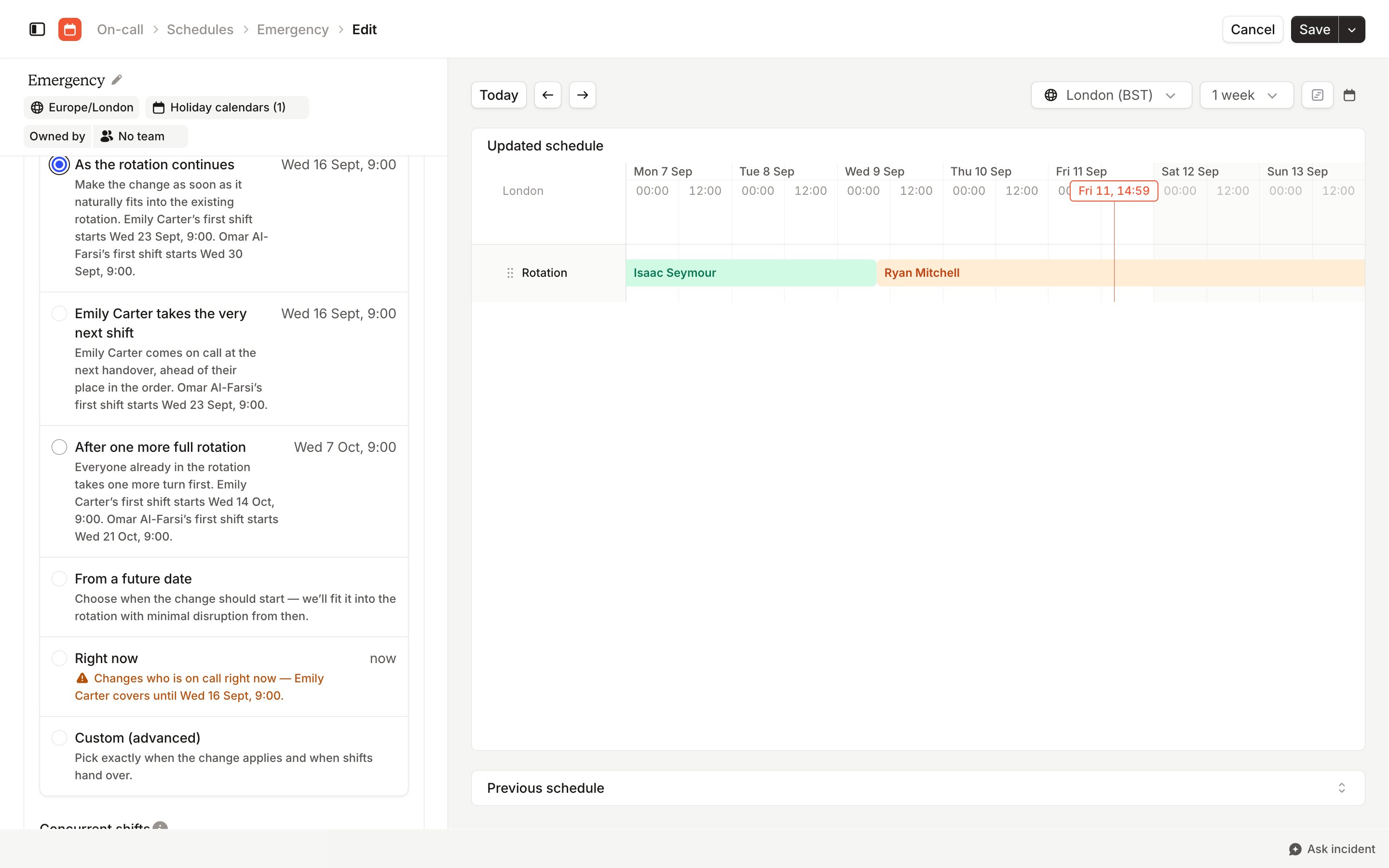
- As the rotation continues: the new list takes over at the next handover.
- Takes the very next shift: the current shift runs to the end, then the new list takes over. The option is labeled with whoever the new list puts on first.
- After one more full rotation: the current run through the list finishes, then the new list takes over.
- From a future date: you pick the date the new list takes over.
- Right now: the new list takes over immediately.
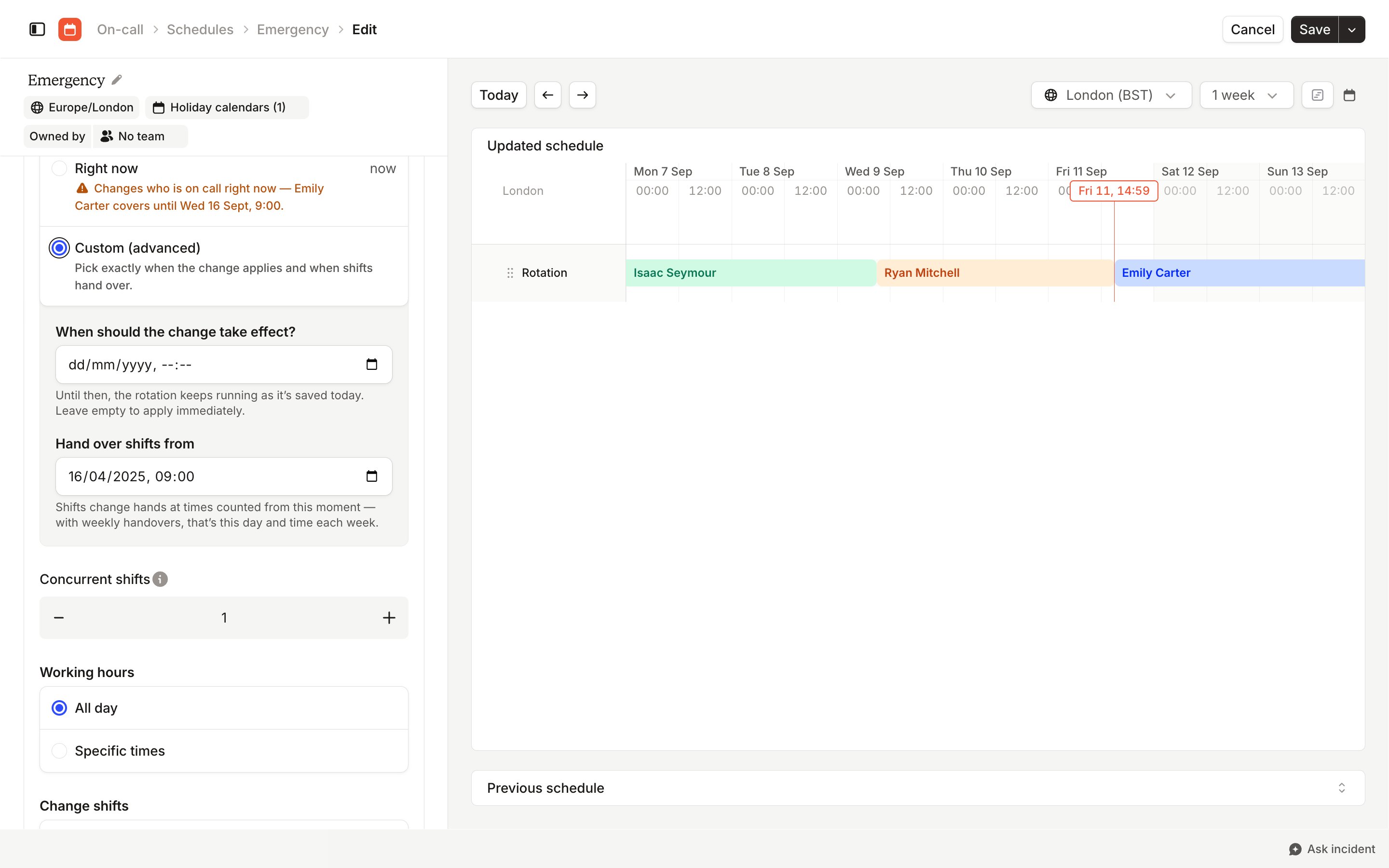
- Custom (advanced): set the date the change applies and the moment handovers are counted from. Leave the date empty to apply the change immediately.
Managing rotations in Terraform
Setrollout on the incident_schedule_rotation resource to pick one of the options above: immediate is Right now, after_current_shift is Takes the very next shift, and after_full_rotation is After one more full rotation. Leave it out to apply the change immediately. Creating a rotation ignores rollout, and it can’t change in the same apply as first_interval_starts_at. See the Terraform provider docs for full usage.