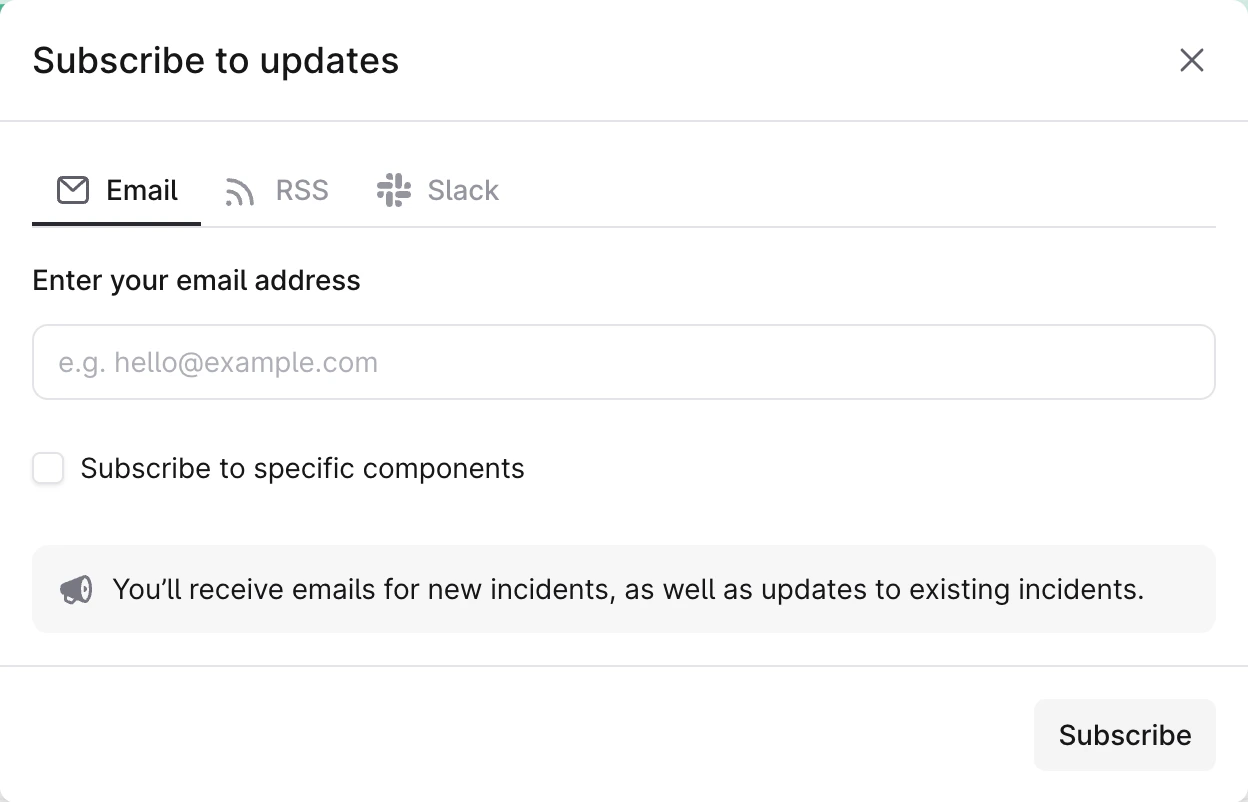
People can subscribe to status pages by email, in a Slack channel, or through our RSS or Atom feeds. To get updates in Slack, see Slack subscriptions. When you select “Subscribe to updates”, you see a form like this, which allows you to choose whether to subscribe to specific components:When sending a status page update, you can choose whether to notify subscribers.
If you choose to notify subscribers, updates will still appear in the RSS and Atom feeds for the incident.
Was this page helpful?
{"docsConfig":{"theme":"sequoia","$schema":"https://mintlify.com/docs.json","name":"incident.io","colors":{"primary":"#f25533","light":"#f25533","dark":"#f25533"},"logo":{"light":"https://mintcdn.com/incidentio-18bb4170/MXPhiqUMxt0n9Xbx/logo/Incident-logo-black.svg?fit=max\u0026auto=format\u0026n=MXPhiqUMxt0n9Xbx\u0026q=85\u0026s=ead72d0886fdb099260accb3efb23647","dark":"https://mintcdn.com/incidentio-18bb4170/MXPhiqUMxt0n9Xbx/logo/Incident-logo-white.svg?fit=max\u0026auto=format\u0026n=MXPhiqUMxt0n9Xbx\u0026q=85\u0026s=6505f07dca02476ce59ae75dee0de19a"},"favicon":"https://mintcdn.com/incidentio-18bb4170/wAjjotZaBNBJxKDy/incident-icon-alarmalade-light.svg?fit=max\u0026auto=format\u0026n=wAjjotZaBNBJxKDy\u0026q=85\u0026s=61de2306abbdc5d599ead83cabe0c096","navbar":{"links":[{"href":"https://incident.io/changelog","label":"Changelog"}],"primary":{"type":"button","label":"Login","href":"https://app.incident.io"}},"footer":{"socials":{"linkedin":"https://linkedin.com/company/incident-io","x":"https://x.com/incident_io"}},"seo":{"metatags":{"canonical":"https://docs.incident.io","google-site-verification":"m4BOwLS1ADg_d5lY410a702_B5_OZqYaKoOAT6kDSA4"}},"styling":{"eyebrows":"breadcrumbs","latex":false},"integrations":{"ga4":{"measurementId":"G-1WX7NMNXE4"},"segment":{"key":"d2evAGYsbv1rXjHWPCK2qlJLcIk1O6Rb","cdnUrl":"https://evs.seg.docs.incident.io"}},"thumbnails":{"appearance":"light","background":"https://mintcdn.com/incidentio-18bb4170/awiyqcf1d4JGfWAa/images/opengraph-image-sand.png?fit=max\u0026auto=format\u0026n=awiyqcf1d4JGfWAa\u0026q=85\u0026s=d853524326b0476919666f928dd4c7c2"},"navigation":{"pages":[]}},"deployment":{"deploymentMetadataValue":{"subdomain":"incidentio-18bb4170","hasAudioNarration":false,"actualSubdomain":"incidentio-18bb4170","customDomains":["docs.incident.io"],"gitSource":{"type":"github","owner":"incident-io","repo":"docs","deployBranch":"main","contentDirectory":"","isPrivate":true,"mountPath":"","label":""},"feedback":{"thumbs":true},"entitlements":{"AI_CHAT":{"status":"ENABLED"},"REMOVE_BRANDING":{"status":"ENABLED"},"CONTEXTUAL_FEEDBACK":{"status":"ENABLED"},"CODE_SNIPPET_FEEDBACK":{"status":"ENABLED"},"WEB_MCP":{"status":"ENABLED"},"NARRATION":{"status":"ENABLED"}},"buildId":"6afe1b768fd20ccb4f955734","clientVersion":"0.0.4205","searchFilterCounts":[{"language":"default","tag":"API reference","count":852},{"language":"default","tag":"Help center","count":492},{"language":"default","tag":"Audit logs","count":474},{"language":"default","tag":"Entry payloads","count":473},{"language":"default","tag":"Integrations","count":82},{"language":"default","tag":"On-call","count":73},{"language":"default","tag":"Nexus","count":71},{"language":"default","tag":"FAQs","count":63},{"language":"default","tag":"Alerts","count":59},{"language":"default","tag":"Incident response","count":53}]},"assistantConfig":{"enableAskAiButton":false,"enableStarterQuestions":false,"enableAskAiSearchBar":true,"deflection":{"enabled":true,"email":"support@incident.io","showHelpButton":true}},"basePath":"","hasChatPermissions":true,"hasWebMcpPermissions":true,"toggles":[{"name":"kill-isr","enabled":true,"variant":{"name":"disabled","enabled":false,"feature_enabled":true},"impressionData":false},{"name":"custom-rbac-roles","enabled":true,"variant":{"name":"disabled","enabled":false,"feature_enabled":true},"impressionData":false},{"name":"agent-mintlify-slack","enabled":true,"variant":{"name":"disabled","enabled":false,"feature_enabled":true},"impressionData":false},{"name":"agent-integrations-settings","enabled":true,"variant":{"name":"disabled","enabled":false,"feature_enabled":true},"impressionData":false},{"name":"rbac-expansion","enabled":true,"variant":{"name":"disabled","enabled":false,"feature_enabled":true},"impressionData":false},{"name":"automations-pr-grouping","enabled":true,"variant":{"name":"disabled","enabled":false,"feature_enabled":true},"impressionData":false},{"name":"custom-prefix","enabled":true,"variant":{"name":"disabled","enabled":false,"feature_enabled":true},"impressionData":false},{"name":"analytics-v7","enabled":true,"variant":{"name":"disabled","enabled":false,"feature_enabled":true},"impressionData":false},{"name":"user-flows-analytics","enabled":true,"variant":{"name":"disabled","enabled":false,"feature_enabled":true},"impressionData":false},{"name":"no-publish-flow","enabled":true,"variant":{"name":"disabled","enabled":false,"feature_enabled":true},"impressionData":false},{"name":"workos-onboarding","enabled":true,"variant":{"name":"disabled","enabled":false,"feature_enabled":true},"impressionData":false},{"name":"snapshot-serving-live","enabled":true,"variant":{"name":"disabled","enabled":false,"feature_enabled":true},"impressionData":false},{"name":"stripTemperatureMiddleware","enabled":true,"variant":{"name":"disabled","enabled":false,"feature_enabled":true},"impressionData":false},{"name":"support-platform-pylon-zendesk","enabled":true,"variant":{"name":"disabled","enabled":false,"feature_enabled":true},"impressionData":false},{"name":"snapshot-serving","enabled":true,"variant":{"name":"disabled","enabled":false,"feature_enabled":true},"impressionData":false},{"name":"instant-rollback","enabled":true,"variant":{"name":"disabled","enabled":false,"feature_enabled":true},"impressionData":false},{"name":"granular-notifications-server","enabled":true,"variant":{"name":"disabled","enabled":false,"feature_enabled":true},"impressionData":false},{"name":"granular-notifications","enabled":true,"variant":{"name":"disabled","enabled":false,"feature_enabled":true},"impressionData":false},{"name":"automations-fable","enabled":true,"variant":{"name":"disabled","enabled":false,"feature_enabled":true},"impressionData":false},{"name":"fixed-ai-action-pricing","enabled":true,"variant":{"name":"disabled","enabled":false,"feature_enabled":true},"impressionData":false},{"name":"automation-resolve-merge-conflict","enabled":true,"variant":{"name":"disabled","enabled":false,"feature_enabled":true},"impressionData":false},{"name":"scoped-publishing","enabled":true,"variant":{"name":"disabled","enabled":false,"feature_enabled":true},"impressionData":false},{"name":"mintql","enabled":true,"variant":{"name":"disabled","enabled":false,"feature_enabled":true},"impressionData":false},{"name":"page-level-analytics","enabled":true,"variant":{"name":"disabled","enabled":false,"feature_enabled":true},"impressionData":false},{"name":"editor-version-history-v2","enabled":true,"variant":{"name":"disabled","enabled":false,"feature_enabled":true},"impressionData":false},{"name":"billing-page-v2","enabled":true,"variant":{"name":"disabled","enabled":false,"feature_enabled":true},"impressionData":false},{"name":"full-page-search","enabled":true,"variant":{"name":"disabled","enabled":false,"feature_enabled":true},"impressionData":false},{"name":"workspace-projects","enabled":true,"variant":{"name":"disabled","enabled":false,"feature_enabled":true},"impressionData":false},{"name":"assistant-v5","enabled":true,"variant":{"name":"disabled","enabled":false,"feature_enabled":true},"impressionData":false},{"name":"fork-pr-previews","enabled":true,"variant":{"name":"disabled","enabled":false,"feature_enabled":true},"impressionData":false},{"name":"revalidation-jwt","enabled":true,"variant":{"name":"disabled","enabled":false,"feature_enabled":true},"impressionData":false},{"name":"workos-sso-scim","enabled":true,"variant":{"name":"disabled","enabled":false,"feature_enabled":true},"impressionData":false},{"name":"hobby-abuse-scan","enabled":true,"variant":{"name":"disabled","enabled":false,"feature_enabled":true},"impressionData":false},{"name":"dashboard-inbox","enabled":true,"variant":{"name":"disabled","enabled":false,"feature_enabled":true},"impressionData":false},{"name":"workos-signup","enabled":true,"variant":{"name":"disabled","enabled":false,"feature_enabled":true},"impressionData":false},{"name":"turbopuffer-dual-write","enabled":true,"variant":{"name":"disabled","enabled":false,"feature_enabled":true},"impressionData":false},{"name":"workos-enabled","enabled":true,"variant":{"name":"disabled","enabled":false,"feature_enabled":true},"impressionData":false},{"name":"approve-review-flow","enabled":true,"variant":{"name":"disabled","enabled":false,"feature_enabled":true},"impressionData":false},{"name":"editor-metadata","enabled":true,"variant":{"name":"disabled","enabled":false,"feature_enabled":true},"impressionData":false},{"name":"sso-setup-deadline-banner","enabled":true,"variant":{"name":"disabled","enabled":false,"feature_enabled":true},"impressionData":false},{"name":"turbopuffer-serve","enabled":true,"variant":{"name":"disabled","enabled":false,"feature_enabled":true},"impressionData":false},{"name":"live-agents","enabled":true,"variant":{"name":"disabled","enabled":false,"feature_enabled":true},"impressionData":false},{"name":"starter-pricing","enabled":true,"variant":{"name":"treatment","enabled":true,"payload":{"type":"string","value":"treatment"},"feature_enabled":true},"impressionData":false},{"name":"llms-txt-v2","enabled":true,"variant":{"name":"disabled","enabled":false,"feature_enabled":true},"impressionData":false},{"name":"wildcard-email-auth","enabled":true,"variant":{"name":"disabled","enabled":false,"feature_enabled":true},"impressionData":false}],"googleFontsInlined":false},"customCss":[{"filePath":"style.css","content":":root{--content-primary: #161618;--content-secondary: #5f5f68;--content-tertiary: #95959d;--content-invert: #f7f7f8;--content-secondary-dark: #afafb6;--content-tertiary-dark: #787882;--surface-primary: #ffffff;--surface-secondary: #f7f7f8;--surface-tertiary: #e4e4e7;--surface-invert: #29292f;--surface-hover-dark: #3a3a42;--stroke-primary: #00000014;--stroke-primary-dark: #ffffff14;--alarmalade-50: #feefec;--alarmalade-500: #f25533;--blue-100: #dbe9fe;--blue-500: #3c82f6;--blue-800: #1d40b0;--amber-100: #fef3c7;--amber-500: #f59e0b;--amber-800: #92400e;--slate-100: #e4e4e7;--slate-500: #787882;--slate-800: #29292f;--slate-900: #161618;--green-100: #dcfce7;--green-500: #10b981;--green-800: #065f46;--red-100: #fee2e1;--red-500: #ef4444;--red-800: #991b1b;--icon-filter-white: brightness(0) saturate(100%) invert(93%) sepia(100%) saturate(0%) hue-rotate(248deg)\n brightness(106%) contrast(106%);--icon-filter-primary: brightness(0) saturate(100%) invert(4%) sepia(7%) saturate(800%) hue-rotate(131deg)\n brightness(95%) contrast(89%);--icon-filter-alarmalade: brightness(0) saturate(100%) invert(36%) sepia(92%) saturate(1552%) hue-rotate(343deg)\n brightness(100%) contrast(91%);--shadow-button:\n 0px 1px 2px 0px rgba(0, 0, 0, 0.08), inset 0px 2px 0px 0px rgba(255, 255, 255, 0.24),\n inset 0px -2px 0px 0px rgba(0, 0, 0, 0.04);--shadow-sm: 0 1px 2px 0 rgba(22, 22, 24, 0.06);--shadow-card-hover: 0 4px 12px rgba(0, 0, 0, 0.04);--shadow-card-hover-sm: 0 2px 8px rgba(0, 0, 0, 0.04)}img[src*=\"/icons/\"][src*=\"#alarmalade\"]{filter:var(--icon-filter-alarmalade)}.type-12{font-size:0.75rem;line-height:1rem;letter-spacing:-0.002rem}.type-14{font-size:0.875rem;line-height:1.25rem;letter-spacing:-0.004rem}.type-16{font-size:1rem;line-height:1.5rem;letter-spacing:-0.007rem}.type-20{font-size:1.25rem;line-height:1.75rem;letter-spacing:-0.0125rem}.type-24{font-size:1.5rem;line-height:2.125rem;letter-spacing:-0.03rem}.type-32{font-size:2rem;line-height:2rem;letter-spacing:-0.04rem}.type-48{font-size:3rem;line-height:4.1875rem;letter-spacing:-0.12rem}@media (min-width: 768px){.md\\:type-48{font-size:3rem;line-height:4.1875rem;letter-spacing:-0.12rem}}.prose{line-height:1.5}#body-content{display:flex;flex-direction:column;min-height:100dvh}@media (min-width: 1024px){#body-content{min-height:calc(100dvh - 6rem)}}#content-container>div:has(#content-area){display:flex;flex-direction:column}#content-area>footer{margin-top:auto}#content-area:has(.homepage){max-width:974px;margin-inline:auto}@media (min-width: 1280px){#content-area:has(.homepage){padding-left:0;padding-right:0}}#capability-matrix table td{min-width:80px!important}#capability-matrix table td:first-child{min-width:200px!important}#navbar>div>div.bg-gray-50.dark\\:bg-gray-900{background:transparent;border-top:1px solid var(--stroke-primary)}.dark :is(#navbar>div>div.bg-gray-50.dark\\:bg-gray-900){border-top:1px solid rgb(255 255 255 / 0.1)}.nav-tabs{justify-content:center}.nav-logo{height:1.5rem;transform:translateY(-2px)}#sidebar{scrollbar-width:thin;scrollbar-color:rgba(0, 0, 0, 0.15) transparent}#sidebar::-webkit-scrollbar{width:4px}#sidebar::-webkit-scrollbar-track{background:transparent}#sidebar::-webkit-scrollbar-thumb{background-color:rgba(0, 0, 0, 0.15);border-radius:2px}.dark #sidebar::-webkit-scrollbar-thumb{background-color:rgba(255, 255, 255, 0.15)}#sidebar-content .bg-gradient-to-b{--tw-gradient-from: var(--surface-secondary)}#sidebar-content .sidebar-group-header{padding-left:0.75rem;font-weight:600}#sidebar-content .sidebar-group-header img{filter:var(--icon-filter-primary)}#sidebar-content #sidebar-title{font-size:0.75rem;font-weight:600;color:var(--content-primary)}.dark #sidebar-content #sidebar-title{color:var(--content-invert)}.dark #sidebar-content img[src*=\"icons/\"]{filter:var(--icon-filter-white)}#sidebar-group a,#sidebar-group button{color:var(--content-secondary);font-weight:500;border-radius:4px}#sidebar-group>li>a,#sidebar-group>li>button{font-size:0.875rem;line-height:1.25rem;border-left:0}#sidebar-group>li>ul a,#sidebar-group>li>ul button,#sidebar-group>li>ul>li>ul a,#sidebar-group>li>ul>li>ul button{padding-left:1.5rem!important;font-size:0.875rem;line-height:1.25rem}#sidebar-group a.text-primary{color:var(--alarmalade-500);background-color:#f2553326;font-weight:400}.dark #sidebar-group a,.dark #sidebar-group button{color:var(--content-secondary-dark)}.dark #sidebar-group a.text-primary{color:var(--alarmalade-500);background-color:#f2553326}.dark #sidebar img[src*=\"icons/\"],.dark #mobile-nav img[src*=\"icons/\"]{filter:var(--icon-filter-white)}#navbar a.bg-primary{background-color:var(--slate-800)!important;border:1px solid var(--slate-800)!important;color:white!important;height:32px}#navbar a.bg-primary div{color:white!important}.dark :is(#navbar a.bg-primary){background-color:rgba(var(--gray-900))!important}.card{border-radius:8px}.card [data-component-part=\"card-content-container\"]{padding:16px}.card [data-component-part=\"card-icon\"]{width:40px;height:40px;border-radius:8px;display:flex;align-items:center;justify-content:center}.light .card [data-component-part=\"card-icon\"]{background:var(--surface-secondary)}.dark .card [data-component-part=\"card-icon\"]{background:var(--surface-invert)}.card [data-component-part=\"card-icon\"] svg{width:20px;height:20px}.card [data-component-part=\"card-icon\"] img{filter:var(--icon-filter-alarmalade)}.steps [data-component-part=\"step-number\"] div{color:var(--alarmalade-500)}.steps .step:last-child [data-component-part=\"step-line\"]{display:none}.callout{border-radius:8px;padding:16px;border:0}.light .callout [data-component-part=\"callout-content\"],.light .callout [data-component-part=\"callout-icon\"] svg{color:var(--callout-text)}.light .callout[data-callout-type=\"note\"]{background-color:var(--blue-100);--callout-text: var(--blue-800)}.light .callout[data-callout-type=\"warning\"]{background-color:var(--amber-100);border-color:var(--amber-500);--callout-text: var(--amber-800)}.light .callout[data-callout-type=\"info\"]{background-color:var(--slate-100);border-color:var(--slate-500);--callout-text: var(--slate-800)}.light .callout[data-callout-type=\"info\"] [data-component-part=\"callout-content\"] strong{color:var(--callout-text)}.light .callout[data-callout-type=\"tip\"],.light .callout[data-callout-type=\"check\"]{background-color:var(--green-100);border-color:var(--green-500);--callout-text: var(--green-800)}.light .callout[data-callout-type=\"danger\"]{background-color:var(--red-100);border-color:var(--red-500);--callout-text: var(--red-800)}.light .accordion[open]{background:var(--surface-secondary)}table,.table table{border:0.5px solid var(--stroke-primary);border-radius:12px;border-collapse:separate;border-spacing:0;overflow:hidden;width:100%;font-size:14px;line-height:20px;letter-spacing:-0.07px}:is(table,.table table) thead{background-color:var(--surface-secondary);border-bottom:0.5px solid var(--stroke-primary)}:is(table,.table table) th{font-weight:500;color:var(--content-primary);text-align:left;padding:16px;border:none}:is(table,.table table) td{padding:16px;border:none;border-top:0.5px solid var(--stroke-primary);vertical-align:top}:is(table,.table table) td:first-child{font-weight:500;color:var(--content-primary)}:is(table,.table table) td:not(:first-child){font-weight:400;color:var(--content-primary);opacity:0.7}:is(table,.table table) tbody tr:first-child td{border-top:none}.dark :is(table,.table table){border-color:var(--stroke-primary-dark)}.dark :is(table,.table table) thead{background-color:var(--surface-invert);border-bottom-color:var(--stroke-primary-dark)}.dark :is(table,.table table) th{color:var(--content-invert)}.dark :is(table,.table table) td{border-top-color:var(--stroke-primary-dark);color:var(--content-invert)}.dark :is(table,.table table) td:first-child{color:var(--content-invert)}.dark :is(table,.table table) td:not(:first-child){color:var(--content-invert);opacity:0.7}span[data-shape=\"rounded\"]{border-radius:4px!important}#search-bar-entry,#assistant-entry{border-radius:8px;box-shadow:var(--shadow-sm)}.light :is(#search-bar-entry,#assistant-entry){background-color:var(--surface-primary);border:1px solid var(--stroke-primary)}#assistant-entry::before{content:'';width:16px;height:16px;flex-shrink:0;background-color:var(--content-tertiary);mask-image:url('/icons/sparkles.svg');mask-repeat:no-repeat;mask-position:center;mask-size:contain}#assistant-entry span:last-child{display:none}.breadcrumb-list .breadcrumb-item:not(:nth-last-child(-n+2)){position:absolute;width:1px;height:1px;padding:0;margin:-1px;overflow:hidden;clip:rect(0, 0, 0, 0);white-space:nowrap;border:0}.dark .divider{border-color:var(--stroke-primary-dark)}.dark .product-bento .card{border:1px solid var(--stroke-primary-dark)}.product-bento .product-icon-box{width:40px;height:40px;border-radius:8px;background-color:white;display:flex;align-items:center;justify-content:center;box-shadow:0px 4px 6px 0px rgba(22, 22, 24, 0.06),\n 0px 2px 4px 0px rgba(22, 22, 24, 0.04)}.dark .product-bento .product-icon-box{background-color:var(--surface-invert);box-shadow:0px 4px 6px 0px rgba(0, 0, 0, 0.2),\n 0px 2px 4px 0px rgba(0, 0, 0, 0.15)}.product-bento a{border:1px solid transparent}.product-bento a:hover{border-color:var(--alarmalade-500)}.hero-card{text-decoration:none;display:block;border-radius:8px;border:1px solid var(--surface-tertiary);background:var(--surface-primary);overflow:hidden;transition:border-color 150ms ease,\n box-shadow 150ms ease}.hero-card:hover{border-color:var(--alarmalade-500)}.dark .hero-card{background:rgb(var(--background-dark));border-color:rgba(255, 255, 255, 0.1)}.dark .hero-card:hover{border-color:var(--alarmalade-500)}.hero-card .hero-card-illustration{display:flex;align-items:center;justify-content:center;height:120px;background:var(--alarmalade-50)}.dark :is(.hero-card .hero-card-illustration){background:rgba(242, 85, 51, 0.08)}.hero-card .hero-card-illustration img{width:32px;height:32px;filter:var(--icon-filter-alarmalade)}.hero-card .hero-card-title{display:block;margin:0;padding:16px;font-weight:500;color:var(--content-primary)}.dark :is(.hero-card .hero-card-title){background:var(--background-dark);color:var(--content-invert)}#sidebar-content li a[href^=\"/api-reference\"]>div.overflow-x-hidden{overflow-y:hidden}#iubenda-cs-banner#iubenda-cs-banner .iubenda-cs-container #iubenda-cs-paragraph{font-weight:500!important}#iubenda-cs-banner#iubenda-cs-banner .iubenda-cs-container #iubenda-cs-title{background-color:transparent!important}#iubenda-cs-banner#iubenda-cs-banner .iubenda-cs-container .iubenda-cs-opt-group{flex-direction:row!important;gap:0.5rem!important}#iubenda-cs-banner#iubenda-cs-banner .iubenda-cs-container .iubenda-cs-opt-group button{padding-inline:0.5rem!important;transition:all 150ms cubic-bezier(0.4, 0, 0.2, 1)!important}#iubenda-cs-banner#iubenda-cs-banner .iubenda-cs-container .iubenda-cs-opt-group-custom{width:33.333333%!important}#iubenda-cs-banner#iubenda-cs-banner .iubenda-cs-container .iubenda-cs-opt-group-consent{gap:0.5rem!important;width:66.666667%!important}#iubenda-cs-banner#iubenda-cs-banner .iubenda-cs-container .iubenda-cs-accept-btn{order:1!important}#iubenda-cs-banner#iubenda-cs-banner .iubenda-cs-container .iubenda-cs-accept-btn.hover{background-color:#f1ebe2!important}#iubenda-cs-banner#iubenda-cs-banner .iubenda-cs-container .iubenda-cs-reject-btn{order:2!important}#iubenda-cs-banner#iubenda-cs-banner .iubenda-cs-container .iubenda-cs-customize-btn{background-color:#ffffff!important;border:1px solid var(--stroke-primary)!important}#iubenda-iframe #iubFooterBtnContainer button{background-color:#f1ebe2!important;color:var(--content-primary)!important}"},{"filePath":"overrides.css","content":"body:has(.homepage) #header,body:has(.homepage) #search-bar-entry,body:has(.homepage) #assistant-entry{display:none}#navigation-items ul.sidebar-group:has(>li[data-group-tag]){margin-top:4px!important}"}],"page":{"pagePath":"status-pages/subscriptions","slug":"/status-pages/subscriptions","pageMetadata":{"title":"Status page subscriptions","sidebarTitle":"Subscriptions","description":null,"keywords":["RSS feed","Atom feed","Slack"],"canonical_article_id":327,"migrated_at":"2026-01-21T18:55:00Z","redirects":["/articles/8653588501*","/en/articles/8653588501*","/help-centre/status-page-subscriptions"],"href":"/status-pages/subscriptions"},"pageType":"default","mdx":{"mdxSource":{"compiledSource":"\"use strict\";const{Fragment:_Fragment,jsx:_jsx,jsxs:_jsxs}=arguments[0];const{useMDXComponents:_provideComponents}=arguments[0];function _createMdxContent(props){const _components={a:`a`,p:`p`,..._provideComponents(),...props.components},{Info,OptimizedImage}=_components;if(!Info)_missingMdxReference(`Info`,true);if(!OptimizedImage)_missingMdxReference(`OptimizedImage`,true);return _jsxs(_Fragment,{children:[_jsxs(_components.p,{children:[`People can subscribe to status pages by email, in a Slack channel, or through our RSS or Atom feeds. To get updates in Slack, see `,_jsx(_components.a,{href:`/status-pages/slack-subscriptions`,children:`Slack subscriptions`}),`. When you select “Subscribe to updates”, you see a form like this, which allows you to choose whether to subscribe to specific components:`]}),`\n`,_jsx(OptimizedImage,{src:`https://mintcdn.com/incidentio-18bb4170/guW7jJx4LsrwZJ6K/images/help-centre/status-page-subscriptions/screenshot-1.png?fit=max\u0026auto=format\u0026n=guW7jJx4LsrwZJ6K\u0026q=85\u0026s=a3608ec6d4aa0cb0102bf5aebadb8e14`,alt:`Subscribe to updates form with Email, RSS and Slack tabs and a Subscribe to specific components checkbox`,\"data-og-width\":`1248`,width:`1248`,\"data-og-height\":`802`,height:`802`,\"data-path\":`images/help-centre/status-page-subscriptions/screenshot-1.png`,\"data-optimize\":`true`,\"data-opv\":`3`,srcset:`https://mintcdn.com/incidentio-18bb4170/guW7jJx4LsrwZJ6K/images/help-centre/status-page-subscriptions/screenshot-1.png?w=280\u0026fit=max\u0026auto=format\u0026n=guW7jJx4LsrwZJ6K\u0026q=85\u0026s=08531474041bf8b58b07ad36f7a95aae 280w, https://mintcdn.com/incidentio-18bb4170/guW7jJx4LsrwZJ6K/images/help-centre/status-page-subscriptions/screenshot-1.png?w=560\u0026fit=max\u0026auto=format\u0026n=guW7jJx4LsrwZJ6K\u0026q=85\u0026s=3c0abe85c2cc93613435998d1b615544 560w, https://mintcdn.com/incidentio-18bb4170/guW7jJx4LsrwZJ6K/images/help-centre/status-page-subscriptions/screenshot-1.png?w=840\u0026fit=max\u0026auto=format\u0026n=guW7jJx4LsrwZJ6K\u0026q=85\u0026s=005f2f29905dec96db47714304a586c0 840w, https://mintcdn.com/incidentio-18bb4170/guW7jJx4LsrwZJ6K/images/help-centre/status-page-subscriptions/screenshot-1.png?w=1100\u0026fit=max\u0026auto=format\u0026n=guW7jJx4LsrwZJ6K\u0026q=85\u0026s=8595aeb01e199fca946eb8943172a3c2 1100w, https://mintcdn.com/incidentio-18bb4170/guW7jJx4LsrwZJ6K/images/help-centre/status-page-subscriptions/screenshot-1.png?w=1650\u0026fit=max\u0026auto=format\u0026n=guW7jJx4LsrwZJ6K\u0026q=85\u0026s=5759e025d4ff6faf2d7ce1068185b451 1650w, https://mintcdn.com/incidentio-18bb4170/guW7jJx4LsrwZJ6K/images/help-centre/status-page-subscriptions/screenshot-1.png?w=2500\u0026fit=max\u0026auto=format\u0026n=guW7jJx4LsrwZJ6K\u0026q=85\u0026s=48f63893b9c22c9953cb9b6a82e839d9 2500w`}),`\n`,_jsx(_components.p,{children:`When sending a status page update, you can choose whether to notify subscribers.`}),`\n`,_jsx(Info,{children:_jsx(_components.p,{children:`If you choose to notify subscribers, updates will still appear in the RSS and Atom feeds for the incident.`})})]})}function MDXContent(props={}){const{wrapper:MDXLayout}={..._provideComponents(),...props.components};return MDXLayout?_jsx(MDXLayout,{...props,children:_jsx(_createMdxContent,{...props})}):_createMdxContent(props)}return{default:MDXContent};function _missingMdxReference(id,component){throw new Error(`Expected `+(component?`component`:`object`)+\" `\"+id+\"` to be defined: you likely forgot to import, pass, or provide it.\")}","frontmatter":{},"scope":{"config":{},"pageMetadata":{"title":"Status page subscriptions","sidebarTitle":"Subscriptions","description":null,"keywords":["RSS feed","Atom feed","Slack"],"canonical_article_id":327,"migrated_at":"2026-01-21T18:55:00Z","redirects":["/articles/8653588501*","/en/articles/8653588501*","/help-centre/status-page-subscriptions"],"href":"/status-pages/subscriptions"}}},"mdxSourceWithNoJs":null},"mdxExtracts":{"tableOfContents":[],"codeExamples":{}},"jsLinks":["/_mintlify/custom/incidentio-18bb4170/8115c2d64d946f67/homepage-help-hero.js","/_mintlify/custom/incidentio-18bb4170/a79dbe12582f1973/analytics.js"],"subdomain":"incidentio-18bb4170","siteName":"incident.io","title":"Status page subscriptions - incident.io","navMaps":{"firstHrefInVersion":{},"firstHrefInLanguage":{}},"lastModified":"2026-11-16T14:30:19.662Z","originalFileLocation":"status-pages/subscriptions.mdx"},"headHtml":"\u003cscript data-mint-head>(function(){var d=document.documentElement,p=null;if(!p){try{p=localStorage.getItem(\"isDarkMode\")}catch(e){}if(p==='true')p='dark';else if(p==='false')p='light';if(p!=='light'\u0026\u0026p!=='dark'\u0026\u0026p!=='system')p=\"system\"}var r=p==='system'?(matchMedia(\"(prefers-color-scheme: dark)\").matches?'dark':'light'):p;d.classList.remove(r==='dark'?'light':'dark');d.classList.add(r);d.setAttribute(\"data-theme-preference\",p)})();\u003c/script>\u003cmeta data-mint-head name=\"application-name\" content=\"incident.io\">\u003cmeta data-mint-head name=\"generator\" content=\"Mintlify\">\u003clink data-mint-head rel=\"icon\" type=\"image/png\" sizes=\"192x192\" href=\"/mintlify-assets/_mintlify/favicons/incidentio-18bb4170/YazI2mNDinjO9EIY/_generated/favicon/android-chrome-192x192.png\" media=\"(prefers-color-scheme: light)\">\u003clink data-mint-head rel=\"apple-touch-icon\" type=\"image/png\" sizes=\"180x180\" href=\"/mintlify-assets/_mintlify/favicons/incidentio-18bb4170/YazI2mNDinjO9EIY/_generated/favicon/apple-touch-icon.png\">\u003clink data-mint-head rel=\"icon\" type=\"image/png\" sizes=\"16x16\" href=\"/mintlify-assets/_mintlify/favicons/incidentio-18bb4170/YazI2mNDinjO9EIY/_generated/favicon/favicon-16x16.png\" media=\"(prefers-color-scheme: light)\">\u003clink data-mint-head rel=\"icon\" type=\"image/png\" sizes=\"32x32\" href=\"/mintlify-assets/_mintlify/favicons/incidentio-18bb4170/YazI2mNDinjO9EIY/_generated/favicon/favicon-32x32.png\" media=\"(prefers-color-scheme: light)\">\u003clink data-mint-head rel=\"shortcut icon\" type=\"image/x-icon\" href=\"/mintlify-assets/_mintlify/favicons/incidentio-18bb4170/YazI2mNDinjO9EIY/_generated/favicon/favicon.ico\" media=\"(prefers-color-scheme: light)\">\u003clink data-mint-head rel=\"icon\" type=\"image/png\" sizes=\"192x192\" href=\"/mintlify-assets/_mintlify/favicons/incidentio-18bb4170/YazI2mNDinjO9EIY/_generated/favicon-dark/android-chrome-192x192.png\" media=\"(prefers-color-scheme: dark)\">\u003clink data-mint-head rel=\"icon\" type=\"image/png\" sizes=\"16x16\" href=\"/mintlify-assets/_mintlify/favicons/incidentio-18bb4170/YazI2mNDinjO9EIY/_generated/favicon-dark/favicon-16x16.png\" media=\"(prefers-color-scheme: dark)\">\u003clink data-mint-head rel=\"icon\" type=\"image/png\" sizes=\"32x32\" href=\"/mintlify-assets/_mintlify/favicons/incidentio-18bb4170/YazI2mNDinjO9EIY/_generated/favicon-dark/favicon-32x32.png\" media=\"(prefers-color-scheme: dark)\">\u003clink data-mint-head rel=\"shortcut icon\" type=\"image/x-icon\" href=\"/mintlify-assets/_mintlify/favicons/incidentio-18bb4170/YazI2mNDinjO9EIY/_generated/favicon-dark/favicon.ico\" media=\"(prefers-color-scheme: dark)\">\u003cmeta data-mint-head property=\"og:title\" content=\"Status page subscriptions - incident.io\">\u003cmeta data-mint-head property=\"og:site_name\" content=\"incident.io\">\u003cmeta data-mint-head property=\"og:url\" content=\"https://docs.incident.io/status-pages/subscriptions\">\u003cmeta data-mint-head property=\"og:type\" content=\"website\">\u003cmeta data-mint-head property=\"og:image\" content=\"https://incidentio-18bb4170.mintlify.site/_mintlify/api/og/v2?division=Documentation\u0026amp;title=Status+page+subscriptions\u0026amp;theme=53f80ac1560e2e82e2d9545b\u0026amp;signature=d8b633ad74e6b340970f1cf29b85f49d8f04ffdb2aba4daa871a3a00fc2148b5\">\u003cmeta data-mint-head property=\"og:image:width\" content=\"1200\">\u003cmeta data-mint-head property=\"og:image:height\" content=\"630\">\u003cmeta data-mint-head name=\"twitter:card\" content=\"summary_large_image\">\u003cmeta data-mint-head name=\"twitter:title\" content=\"Status page subscriptions - incident.io\">\u003cmeta data-mint-head name=\"twitter:image\" content=\"https://incidentio-18bb4170.mintlify.site/_mintlify/api/og/v2?division=Documentation\u0026amp;title=Status+page+subscriptions\u0026amp;theme=53f80ac1560e2e82e2d9545b\u0026amp;signature=d8b633ad74e6b340970f1cf29b85f49d8f04ffdb2aba4daa871a3a00fc2148b5\">\u003cmeta data-mint-head name=\"twitter:image:width\" content=\"1200\">\u003cmeta data-mint-head name=\"twitter:image:height\" content=\"630\">\u003cmeta data-mint-head name=\"msapplication-config\" content=\"/mintlify-assets/_mintlify/favicons/incidentio-18bb4170/YazI2mNDinjO9EIY/_generated/favicon/browserconfig.xml\">\u003cmeta data-mint-head name=\"apple-mobile-web-app-title\" content=\"incident.io\">\u003cmeta data-mint-head name=\"msapplication-TileColor\" content=\"#f25533\">\u003cmeta data-mint-head name=\"google-site-verification\" content=\"m4BOwLS1ADg_d5lY410a702_B5_OZqYaKoOAT6kDSA4\">\u003clink data-mint-head rel=\"canonical\" href=\"https://docs.incident.io/status-pages/subscriptions\">\u003clink data-mint-head rel=\"alternate\" type=\"application/xml\" href=\"/sitemap.xml\">\u003clink data-mint-head rel=\"alternate\" type=\"text/markdown\" href=\"/status-pages/subscriptions.md\">\u003cscript data-mint-head type=\"application/ld+json\">{\"@context\":\"https://schema.org\",\"@graph\":[{\"@type\":\"Organization\",\"@id\":\"https://docs.incident.io/#organization\",\"name\":\"incident.io\",\"url\":\"https://docs.incident.io\",\"logo\":{\"@type\":\"ImageObject\",\"url\":\"https://mintcdn.com/incidentio-18bb4170/MXPhiqUMxt0n9Xbx/logo/Incident-logo-black.svg?fit=max\u0026auto=format\u0026n=MXPhiqUMxt0n9Xbx\u0026q=85\u0026s=ead72d0886fdb099260accb3efb23647\"}},{\"@type\":\"WebSite\",\"@id\":\"https://docs.incident.io#website\",\"name\":\"incident.io\",\"url\":\"https://docs.incident.io\",\"publisher\":{\"@id\":\"https://docs.incident.io/#organization\"}},{\"@type\":\"WebPage\",\"@id\":\"https://docs.incident.io/status-pages/subscriptions#webpage\",\"url\":\"https://docs.incident.io/status-pages/subscriptions\",\"name\":\"Status page subscriptions\",\"dateModified\":\"2026-11-16T14:30:19.662Z\",\"isPartOf\":{\"@id\":\"https://docs.incident.io#website\"},\"breadcrumb\":{\"@id\":\"https://docs.incident.io/status-pages/subscriptions#breadcrumb\"}},{\"@type\":\"BreadcrumbList\",\"@id\":\"https://docs.incident.io/status-pages/subscriptions#breadcrumb\",\"itemListElement\":[{\"@type\":\"ListItem\",\"position\":1,\"name\":\"Status pages\",\"item\":\"https://docs.incident.io/status-pages/overview\"},{\"@type\":\"ListItem\",\"position\":2,\"name\":\"Public status pages\",\"item\":\"https://docs.incident.io/status-pages/going-live\"},{\"@type\":\"ListItem\",\"position\":3,\"name\":\"Status page subscriptions\",\"item\":\"https://docs.incident.io/status-pages/subscriptions\"}]},{\"@type\":[\"Article\",\"TechArticle\"],\"@id\":\"https://docs.incident.io/status-pages/subscriptions#article\",\"headline\":\"Status page subscriptions\",\"name\":\"Status page subscriptions\",\"url\":\"https://docs.incident.io/status-pages/subscriptions\",\"mainEntityOfPage\":{\"@id\":\"https://docs.incident.io/status-pages/subscriptions#webpage\"},\"dateModified\":\"2026-11-16T14:30:19.662Z\",\"keywords\":\"RSS feed, Atom feed, Slack\",\"publisher\":{\"@id\":\"https://docs.incident.io/#organization\"},\"isPartOf\":{\"@id\":\"https://docs.incident.io#website\"}}]}\u003c/script>","agentPointerHref":"/status-pages/subscriptions.md","siteName":"incident.io","nav":{"global":null,"tabs":[{"tab":"Help center","groups":[{"group":"Getting started","public":true,"icon":"https://mintlify.s3.us-west-1.amazonaws.com/incidentio-18bb4170/icons/rocket.svg","pages":[{"title":"What's incident.io?","href":"/getting-started/what-is-incident-io"},{"group":"Slack","pages":[{"title":"Installing incident.io in 30 seconds","sidebarTitle":"Installation","href":"/getting-started/installing"},{"title":"Creating a Slack admin for privileged Slack access","sidebarTitle":"Creating Slack admin","href":"/getting-started/slack-admin-setup"},{"title":"Why does incident.io need a Slack Owner account?","sidebarTitle":"Slack Owner account","href":"/getting-started/slack-owner-account"},{"title":"What does incident.io need privileged Slack access for?","sidebarTitle":"Privileged Slack access","href":"/getting-started/slack-privileged-access"},{"title":"Slack Enterprise Grid","href":"/getting-started/slack-enterprise-grid"},{"title":"Slack Enterprise Grid migrations","sidebarTitle":"Grid Migrations","href":"/getting-started/slack-enterprise-grid-migrations"}]},{"group":"Microsoft Teams","pages":[{"title":"Installing incident.io in Microsoft Teams","sidebarTitle":"Installation","href":"/getting-started/installing-teams"},{"title":"Microsoft's 'admin consent' flow","sidebarTitle":"Admin consent","href":"/getting-started/microsoft-admin-consent-flow"},{"title":"Permissions in Microsoft Teams","sidebarTitle":"Permissions","href":"/getting-started/teams-permissions"},{"title":"Using private incidents in Microsoft Teams","sidebarTitle":"Private incidents","href":"/getting-started/teams-private-incidents"},{"title":"What to expect on Microsoft Teams","sidebarTitle":"Slack and Teams","href":"/getting-started/teams-vs-slack"},{"title":"Why does incident.io require a communications platform?","sidebarTitle":"Comms platform requirement","href":"/getting-started/why-comms-platform"}]}]},{"group":"Alerts","public":true,"icon":"https://mintlify.s3.us-west-1.amazonaws.com/incidentio-18bb4170/icons/alert.svg","pages":[{"group":"Getting started","pages":[{"title":"Creating incidents automatically via alerts","sidebarTitle":"Automatic incident creation","href":"/alerts/getting-started"},{"title":"Alerts and teams","sidebarTitle":"Alerts \u0026 teams","href":"/alerts/team-routing"},{"title":"Alert timeline","href":"/alerts/alert-timeline"},{"title":"Alert notes","href":"/alerts/alert-notes"},{"title":"Mark alerts as noise","sidebarTitle":"Mark as noise","href":"/alerts/mark-as-noise"},{"title":"Attributes, tags and priority","href":"/alerts/attributes-and-priorities"},{"title":"Extracting JSON alert data","sidebarTitle":"Extract JSON alert data","href":"/alerts/json-alert-data"},{"title":"Alert grouping","sidebarTitle":"Alert grouping","href":"/alerts/grouping-alerts"},{"title":"Alert attribute merge strategies","sidebarTitle":"Merge strategies","href":"/alerts/merge-strategies"},{"title":"Customizing alert messages","sidebarTitle":"Alert messages","href":"/alerts/message-customization"},{"title":"Dynamically setting an escalation path","sidebarTitle":"Dynamic escalation paths","href":"/alerts/dynamic-escalation"},{"title":"Creating escalations and incidents from alerts","sidebarTitle":"Escalations \u0026 incidents","href":"/alerts/escalations-from-alerts"},{"title":"Incident templates","sidebarTitle":"Incident templates","href":"/alerts/incident-templates"},{"title":"Priorities in Alerts and On-call","sidebarTitle":"Alert priorities","href":"/alerts/priorities"},{"title":"Routing alerts by priority using alert source configs","sidebarTitle":"Routing by priority","href":"/alerts/priority-routing"},{"title":"Routing private alerts to escalate and create incidents","sidebarTitle":"Private alerts","href":"/alerts/private-incidents"},{"title":"Sending alerts to Slack channels","sidebarTitle":"Slack notifications","href":"/alerts/slack-channels"},{"title":"Maintenance windows","sidebarTitle":"Maintenance windows","href":"/alerts/maintenance-windows"}]},{"group":"Alert sources","pages":[{"title":"What alert sources are supported?","href":"/alerts/alert-sources"},{"title":"Alert ingestion rate limits","sidebarTitle":"Rate limits","href":"/alerts/rate-limits"},{"group":"Set up guides","pages":[{"title":"Adding Azure DevOps as an alert source","sidebarTitle":"Azure DevOps","href":"/alerts/azure-devops"},{"title":"Adding BigPanda as an alert source","sidebarTitle":"BigPanda","href":"/alerts/bigpanda"},{"title":"Adding Chronosphere as an alert source","sidebarTitle":"Chronosphere","href":"/alerts/chronosphere"},{"title":"Adding ClickStack as an alert source","sidebarTitle":"ClickStack","href":"/alerts/clickstack"},{"title":"Crowdstrike Falcon","href":"/alerts/crowdstrike-falcon"},{"title":"Adding Dash0 as an alert source","sidebarTitle":"Dash0","href":"/alerts/dash0"},{"title":"Custom HTTP alert sources","sidebarTitle":"Custom HTTP sources","href":"/alerts/custom-http-sources"},{"title":"Email alert sources","sidebarTitle":"Email","href":"/alerts/email-sources"},{"title":"Adding Icinga 2 as an alert source","sidebarTitle":"Icinga 2","href":"/alerts/icinga2"},{"title":"Adding Logz.io as an alert source","sidebarTitle":"Logz.io","href":"/alerts/logzio"},{"title":"Adding Monte Carlo as an alert source","sidebarTitle":"Monte Carlo","href":"/alerts/monte-carlo"},{"title":"Adding Nagios as an Alert Source","sidebarTitle":"Nagios","href":"/alerts/nagios"},{"title":"Adding Panther as an Alert Source","sidebarTitle":"Panther","href":"/alerts/panther"},{"title":"Adding PostHog as an alert source","sidebarTitle":"PostHog","href":"/alerts/posthog"},{"title":"Adding ServiceNow as an alert source","sidebarTitle":"ServiceNow","href":"/alerts/servicenow"},{"title":"Adding SolarWinds AppOptics as an alert source","sidebarTitle":"SolarWinds AppOptics","href":"/alerts/solarwinds"},{"title":"Adding Uptime.com as an alert source","sidebarTitle":"Uptime.com","href":"/alerts/uptime"},{"title":"Adding Upwind as an Alert Source","sidebarTitle":"Upwind","href":"/alerts/upwind"},{"title":"Adding Wiz as an Alert Source","sidebarTitle":"Wiz","href":"/alerts/wiz"}]}]},{"title":"Live call routing","href":"/on-call/live-call-routing"},{"title":"Bring your own Twilio number","href":"/on-call/bring-your-own-twilio-number"},{"title":"Heartbeat monitoring","sidebarTitle":"Heartbeat monitoring","href":"/alerts/heartbeat-monitoring"},{"group":"Alert deduplication","pages":[{"title":"What is Alert Deduplication?","sidebarTitle":"Deduplication overview","href":"/alerts/deduplication"},{"title":"HTTP Alert Sources and Array Payloads","sidebarTitle":"Array Payloads","href":"/alerts/json-array-troubleshooting"},{"title":"Why are some of my Datadog alerts not appearing in incident.io?","sidebarTitle":"Datadog alerts","href":"/alerts/datadog-issues"},{"title":"Why are my Prometheus Alertmanager alerts not appearing in incident.io?","sidebarTitle":"Prometheus Alertmanager","href":"/alerts/prometheus-issues"},{"title":"How are AWS SNS messages deduplicated?","sidebarTitle":"AWS SNS alerts","href":"/alerts/sns-dedup"},{"title":"Why am I not receiving subsequent Sentry alert notifications?","sidebarTitle":"Sentry notifications","href":"/alerts/sentry-dedup"},{"title":"Why aren't my Grafana alerts appearing within incident.io?","sidebarTitle":"Grafana deduplication","href":"/alerts/why-isn-t-my-grafana-test-alert-triggering-multiple-times"}]},{"group":"FAQs","pages":[{"title":"Alert Insights","href":"/alerts/alert-insights"},{"title":"Can I manually attach alerts to an existing incident?","sidebarTitle":"Manually attaching alerts","href":"/alerts/attach-alerts"},{"title":"Maintenance windows","sidebarTitle":"Maintenance windows","href":"/alerts/maintenance-windows"},{"title":"Why is an alert missing an attribute?","sidebarTitle":"Missing attributes","href":"/alerts/missing-attributes"},{"title":"How do I map alert severities to incident.io alert priorities?","sidebarTitle":"Mapping severities","href":"/alerts/severity-mapping"}]}]},{"group":"On-call","public":true,"icon":"https://mintlify.s3.us-west-1.amazonaws.com/incidentio-18bb4170/icons/on-call.svg","pages":[{"group":"Getting started","root":{"title":"Getting started with On-call","sidebarTitle":"Getting started with On-call","href":"/on-call/getting-started"},"pages":[{"title":"What's included in On-call","sidebarTitle":"What's included","href":"/on-call/whats-included"},{"title":"Get started as an On-call responder","sidebarTitle":"Responder setup","href":"/on-call/responder-guide"},{"title":"Creating incidents manually","sidebarTitle":"Manual escalations","href":"/on-call/manual-incidents"},{"title":"Using Catalog with On-call","sidebarTitle":"Catalog integration","href":"/on-call/catalog-integration"}]},{"group":"Schedules","pages":[{"title":"Building schedules","href":"/on-call/building-schedules"},{"title":"Importing and duplicating schedules","sidebarTitle":"Import \u0026 duplicate","href":"/on-call/importing-schedules"},{"title":"Can I change the timezone of an on-call schedule?","sidebarTitle":"Schedule timezones","href":"/on-call/change-timezone"},{"title":"Sync on-call shifts to your calendar","sidebarTitle":"Shift calendar feeds","href":"/on-call/shift-calendar-feeds"},{"group":"Holidays \u0026 PTO","pages":[{"title":"Holidays in On-call schedules","sidebarTitle":"Overview","href":"/on-call/holidays"},{"title":"Public holidays","sidebarTitle":"Public holidays","href":"/on-call/public-holidays"},{"title":"Import holidays with calendar feeds","sidebarTitle":"Holiday calendar feeds","href":"/on-call/calendar-feeds"},{"title":"Direct HRIS integrations","sidebarTitle":"Direct integrations","href":"/on-call/direct-hris-integrations"},{"title":"Acting on time off","sidebarTitle":"Acting on time off","href":"/on-call/acting-on-holidays"},{"title":"Connect Workday","sidebarTitle":"Workday","href":"/on-call/hris-workday"},{"title":"Connect HiBob","sidebarTitle":"HiBob","href":"/on-call/hris-hibob"},{"title":"Connect BambooHR","sidebarTitle":"BambooHR","href":"/on-call/hris-bamboohr"}]},{"title":"Can I sync or link multiple on-call schedules together?","sidebarTitle":"Linking schedules","href":"/on-call/link-schedules"},{"title":"Mirroring schedules to PagerDuty","sidebarTitle":"Mirror to PagerDuty","href":"/on-call/mirroring-schedules-to-pagerduty"},{"title":"Rotation calculation in Schedules","sidebarTitle":"Rotation calculation","href":"/on-call/rotation-calculation"},{"title":"How do I set up Slack notifications for on-call schedule changes?","sidebarTitle":"Schedule change notifications","href":"/on-call/slack-schedule-notifications"},{"title":"Syncing schedules to Slack user groups","sidebarTitle":"Slack user groups","href":"/on-call/sync-slack-groups"},{"title":"See who's on call from your own tools","sidebarTitle":"Who's on call","href":"/on-call/who-is-on-call"}]},{"group":"Escalation paths","pages":[{"title":"Smart escalation paths","sidebarTitle":"Smart escalation","href":"/on-call/escalation-paths"},{"title":"Escalation path templates","sidebarTitle":"Templates","href":"/on-call/escalation-path-templates"},{"title":"Escalation status definitions","sidebarTitle":"Status definitions","href":"/on-call/escalation-statuses"},{"title":"Escalations with On-call","sidebarTitle":"Escalation overview","href":"/on-call/escalations"},{"title":"How do I escalate manually?","sidebarTitle":"Manual escalation","href":"/on-call/manual-escalation"},{"title":"Delaying an out of hours escalation until working hours begin","sidebarTitle":"Working hours delays","href":"/on-call/out-of-hours"},{"title":"Round Robin in Escalation paths","sidebarTitle":"Round robin","href":"/on-call/round-robin"},{"title":"Snoozing escalations","sidebarTitle":"Snoozing escalations","href":"/on-call/snoozing-escalations"},{"group":"Reassigning escalations","root":{"title":"Reassigning escalations","sidebarTitle":"Overview","href":"/on-call/reassignments"},"pages":[{"title":"Reassigning escalations manually","sidebarTitle":"Manually","href":"/on-call/reassigning-escalations"},{"title":"Reassigning escalation paths","sidebarTitle":"Automatically","href":"/on-call/automatically-reassign-escalations"}]},{"title":"Repeating acknowledged escalations","sidebarTitle":"Repeating acknowledged escalations","href":"/on-call/repeating-acknowledged-escalations"},{"title":"Wait for investigation","sidebarTitle":"Wait for investigation","href":"/on-call/wait-for-investigation"}]},{"group":"Being on call","pages":[{"title":"Setting up notifications on iOS and Android","sidebarTitle":"Mobile setup","href":"/on-call/mobile-notifications"},{"title":"Setting up notifications on Android","sidebarTitle":"Android notifications","href":"/on-call/android-notifications"},{"title":"Setting up notifications on iOS","sidebarTitle":"iOS notifications","href":"/on-call/ios-notifications"},{"title":"On-call notifications and preferences","sidebarTitle":"Notifications \u0026 preferences","href":"/on-call/notifications"},{"title":"Test your on-call notifications","sidebarTitle":"Test notifications","href":"/on-call/test-notifications"},{"title":"On-call notification policies","sidebarTitle":"Notification policies","href":"/on-call/notification-policies"},{"title":"Pausing notifications","sidebarTitle":"Pausing notifications","href":"/on-call/pausing-notifications"},{"title":"Bulk acknowledging escalations","sidebarTitle":"Bulk acknowledgments","href":"/on-call/bulk-acknowledge"},{"title":"What determines if you're on call?","sidebarTitle":"On-call status","href":"/on-call/determining-on-call"},{"title":"Cover me, overrides and schedules","sidebarTitle":"Overrides \u0026 cover","href":"/on-call/overrides"},{"title":"Swap shifts","sidebarTitle":"Shift swaps","href":"/on-call/shift-swaps"},{"title":"Schedule coverage policies","sidebarTitle":"Coverage policies","href":"/on-call/coverage-policies"},{"title":"Shift conflict policies","sidebarTitle":"Shift conflict policies","href":"/on-call/shift-conflict-policies"},{"title":"Adding contact methods for another user","sidebarTitle":"Adding contact methods for others","href":"/on-call/contact-methods"},{"title":"Supported countries for On-call notifications","sidebarTitle":"Notification countries","href":"/on-call/supported-countries"},{"group":"On-call in China","pages":[{"title":"On-call in China","sidebarTitle":"On-call in China","href":"/on-call/china-on-call"},{"title":"Mobile app in China","sidebarTitle":"Mobile app","href":"/on-call/china-mobile-app"},{"title":"SMS and voice in China","sidebarTitle":"SMS and voice","href":"/on-call/china-sms-and-voice"}]}]},{"title":"On-call Readiness Insights","sidebarTitle":"Readiness insights","href":"/on-call/on-call-readiness-insights"},{"title":"Create an on-call pay report","sidebarTitle":"On-call pay report","href":"/on-call/pay-report"},{"title":"Pay configuration API","sidebarTitle":"Pay configuration API","href":"/on-call/pay-config-api"},{"group":"Migration","pages":[{"title":"Tools to make migrating from PagerDuty easier","sidebarTitle":"Migrate from PagerDuty","href":"/getting-started/migrate-from-pagerduty"},{"title":"Tools to make migrating from Opsgenie easier","sidebarTitle":"Migrate from Opsgenie","href":"/getting-started/migrate-from-opsgenie"},{"title":"Importing schedules and escalation policies from PagerDuty and OpsGenie","sidebarTitle":"PagerDuty migration","href":"/on-call/import-pagerduty"},{"title":"Migrating Datadog monitors to incident.io","sidebarTitle":"Migrate Datadog Monitors","href":"/getting-started/migrate-datadog-monitors"}]},{"group":"Importing historical incidents","root":{"title":"Importing historical incidents","href":"/getting-started/importing-historical-incidents"},"pages":[{"title":"Importing historical incidents from Blameless","sidebarTitle":"Blameless","href":"/getting-started/importing-historical-incidents-blameless"},{"title":"Importing historical incidents from FireHydrant","sidebarTitle":"FireHydrant","href":"/getting-started/importing-historical-incidents-firehydrant"},{"title":"Importing historical incidents from ServiceNow","sidebarTitle":"ServiceNow","href":"/getting-started/importing-historical-incidents-servicenow"},{"title":"Importing historical incidents from Rootly","sidebarTitle":"Rootly","href":"/getting-started/importing-historical-incidents-rootly"}]},{"group":"FAQs","pages":[{"title":"How do escalation delays work when no one is on-call for a level?","sidebarTitle":"Empty level delays","href":"/on-call/escalation-delays"},{"title":"Setting up the mobile app in a work profile in Android","sidebarTitle":"Android work profiles","href":"/on-call/android-work-profile"},{"title":"Can I escalate to multiple levels if the same person is on consecutive escalation paths?","sidebarTitle":"Duplicate escalations","href":"/on-call/consecutive-escalation"},{"title":"Can we change the date format in email notifications?","sidebarTitle":"Date format settings","href":"/on-call/email-date-format"},{"title":"Understanding priority, urgency, and severity","sidebarTitle":"Priority \u0026 severity","href":"/on-call/priority-urgency-severity"},{"title":"How do I assign on-call roles from schedules to incident roles?","sidebarTitle":"Schedule to incident roles","href":"/on-call/schedule-to-incident-roles"},{"title":"On-call Shortcuts Cheatsheet","sidebarTitle":"Shortcuts cheatsheet","href":"/on-call/shortcuts"},{"title":"Why can't I ack my page via SMS?","sidebarTitle":"SMS acknowledgment issues","href":"/on-call/sms-ack-issues"},{"title":"Why did verifying my WhatsApp number fail?","sidebarTitle":"WhatsApp verification issues","href":"/on-call/whatsapp-verification-issues"},{"title":"How do I unmanage a Terraform-controlled schedule in the dashboard?","sidebarTitle":"Unmanaging Terraform schedules","href":"/on-call/unmanage-terraform-schedule"}]}]},{"group":"Incident response","public":true,"icon":"https://mintlify.s3.us-west-1.amazonaws.com/incidentio-18bb4170/icons/incident.svg","pages":[{"group":"Creating incidents","pages":[{"title":"Declaring incidents","href":"/incidents/declaring"},{"title":"Pre-filling 'declare incident' fields using URL parameters","sidebarTitle":"Pre-fill incident fields","href":"/incidents/url-parameters"},{"title":"Incidents without channels","sidebarTitle":"Incidents without channels","href":"/incidents/channelless-incidents"},{"title":"Incident modes","href":"/incidents/incident-modes"},{"title":"Custom fields","sidebarTitle":"Custom fields","href":"/incidents/custom-fields"},{"title":"Decision Flows","href":"/incidents/decision-flows"},{"title":"Incident lifecycle","href":"/incidents/lifecycle"},{"title":"Incident roles","sidebarTitle":"Incident roles","href":"/incidents/roles"},{"title":"Severities","href":"/incidents/severities"},{"title":"Incident types","href":"/incidents/incident-types"},{"title":"Inviting teammates to incidents","sidebarTitle":"Inviting teammates","href":"/incidents/inviting-teammates"},{"title":"Triaging your incidents","sidebarTitle":"Triaging incidents","href":"/incidents/triaging"}]},{"group":"Managing incidents","pages":[{"title":"Actions","href":"/incidents/actions"},{"title":"Quick Actions","href":"/incidents/quick-actions"},{"title":"Merging incidents","href":"/incidents/merging"},{"title":"How do I add attachments to incidents?","sidebarTitle":"Adding attachments","href":"/incidents/attachments"},{"title":"Keeping your customers in the loop","sidebarTitle":"Customer communications","href":"/incidents/customer-updates"},{"title":"Escalating incidents","href":"/incidents/escalating"},{"title":"Managing incident roles","sidebarTitle":"Managing incident roles","href":"/incidents/incident-roles"},{"title":"Pausing incidents","href":"/incidents/pausing"},{"title":"Setting reminders and suggestions in incident.io","sidebarTitle":"Reminders \u0026 suggestions","href":"/incidents/reminders"},{"title":"Rule-based suggestions","href":"/incidents/rule-based-suggestions"},{"title":"Shortcuts cheatsheet","href":"/incidents/shortcuts"},{"title":"Sharing status updates with your team","sidebarTitle":"Status updates","href":"/incidents/status-updates"},{"title":"Incident streams","href":"/incidents/streams"},{"title":"Updating an incident's status and details","sidebarTitle":"Updating status","href":"/incidents/updating-incidents"},{"title":"Creating and linking video call URLs for digital 'war rooms'","sidebarTitle":"Video calls \u0026 war rooms","href":"/incidents/video-calls"}]},{"group":"Private incidents","root":{"title":"Private incidents","sidebarTitle":"Private incidents","href":"/incidents/private-incidents"},"pages":[{"title":"Announcing private incidents","sidebarTitle":"Announcing private incidents","href":"/incidents/announcing-private-incidents"},{"title":"Private incident streams","sidebarTitle":"Private streams","href":"/incidents/private-streams"}]},{"group":"FAQs","pages":[{"title":"Alerts and automatic incident creation","sidebarTitle":"Automatic incident creation","href":"/incidents/auto-create"},{"title":"Can we change where incidents get announced?","sidebarTitle":"Announcement channels","href":"/incidents/change-announcements"},{"title":"Using incident.io and Slack to convert public channels to private ones","sidebarTitle":"Convert Channels to Private","href":"/incidents/convert-channels"},{"title":"Can we create incidents or actions from an existing Slack message?","sidebarTitle":"Creating from Slack","href":"/incidents/create-from-slack"},{"title":"Can we create incidents from a Linear ticket?","sidebarTitle":"Creating from tickets","href":"/incidents/create-from-tickets"},{"title":"Can I delete or hide an incident?","sidebarTitle":"Deleting/hiding incidents","href":"/incidents/delete-incidents"},{"title":"How does the duplicate incident prevention feature work?","sidebarTitle":"Duplicate prevention","href":"/incidents/duplicate-prevention"},{"title":"Can we edit the timeline?","sidebarTitle":"Editing the timeline","href":"/incidents/edit-timeline"},{"title":"How to use images in incidents","sidebarTitle":"Images in Incidents","href":"/incidents/incident-images"},{"title":"Importing existing incident channels to incident.io","sidebarTitle":"Importing incident channels","href":"/incidents/import-channels"},{"title":"How does the 'Rate this incident' feedback feature work?","sidebarTitle":"Rate this incident","href":"/incidents/incident-feedback"},{"title":"Active Participants vs Observers","sidebarTitle":"Participants vs observers","href":"/incidents/participants-vs-observers"},{"title":"Workflows on private incidents","sidebarTitle":"Workflows on private incidents","href":"/incidents/private-incident-workflows"},{"title":"How do I convert a private Slack incident channel to public?","sidebarTitle":"Channel visibility","href":"/incidents/private-to-public"},{"title":"Can I rename an incident?","sidebarTitle":"Renaming incidents","href":"/incidents/rename-incidents"},{"title":"Can I reopen an incident?","sidebarTitle":"Reopening incidents","href":"/incidents/reopen-incidents"},{"title":"Can I create retrospective incidents?","sidebarTitle":"Retrospective incidents","href":"/incidents/retrospective-incidents"},{"title":"Why can't I see all my team in the drop-down of incident roles?","sidebarTitle":"Incident role visibility","href":"/incidents/role-dropdown"},{"title":"Test incidents","href":"/incidents/test-incidents"},{"title":"What's happened to my Slack bookmarks?","sidebarTitle":"Slack bookmarks","href":"/incidents/slack-bookmarks"},{"title":"Can I set a custom field directly from Slack using a command?","sidebarTitle":"Custom fields from Slack","href":"/incidents/slack-custom-fields"},{"title":"Can multi-channel slack guest users interact with the incident.io bot?","sidebarTitle":"Slack guest users","href":"/incidents/slack-guest-users"},{"title":"Subscribing to Incidents","href":"/incidents/subscribing"},{"title":"Why are my incidents not being announced?","sidebarTitle":"Incident announcements","href":"/incidents/test-incident-announcements"}]}]},{"group":"Post-incident","public":true,"icon":"https://mintlify.s3.us-west-1.amazonaws.com/incidentio-18bb4170/icons/learn.svg","pages":[{"group":"Post-mortems","pages":[{"title":"Post-mortems","sidebarTitle":"Overview","href":"/post-incident/postmortems-overview"},{"title":"Writing \u0026 editing post-mortems","sidebarTitle":"Writing \u0026 editing","href":"/post-incident/writing-and-editing"},{"title":"Post-mortem templates","sidebarTitle":"Templates","href":"/post-incident/postmortem-templates"},{"title":"AI-native writing","sidebarTitle":"AI-native writing","href":"/post-incident/postmortem-ai"},{"title":"Scribe for post-mortems","sidebarTitle":"Scribe","href":"/post-incident/postmortem-scribe"},{"title":"Sharing \u0026 exporting post-mortems","sidebarTitle":"Sharing \u0026 exporting","href":"/post-incident/postmortem-sharing-and-exporting"},{"title":"Managing your post-mortems","sidebarTitle":"Managing your post-mortems","href":"/post-incident/postmortem-management"},{"title":"Automating post-mortems with workflows","sidebarTitle":"Workflows","href":"/post-incident/postmortem-workflows"},{"title":"Post-mortem API","sidebarTitle":"API","href":"/post-incident/postmortem-api"},{"title":"External post-mortem documents","sidebarTitle":"External documents","href":"/post-incident/external-postmortems"}]},{"group":"Follow-ups","pages":[{"title":"Follow-ups","href":"/post-incident/follow-ups"},{"title":"Syncing follow-ups with your issue tracker","sidebarTitle":"Issue tracker sync","href":"/post-incident/follow-up-issue-tracker-sync"},{"title":"Assigning a Priority to Follow-ups","sidebarTitle":"Follow-up priorities","href":"/post-incident/follow-up-priorities"},{"title":"Enforcing follow-ups are completed based on priority (policies)","sidebarTitle":"Follow-up policies","href":"/post-incident/follow-up-policies"},{"title":"Follow-ups API","sidebarTitle":"API","href":"/post-incident/follow-ups-api"}]},{"title":"Define your post-incident process using the Post-incident Flow","sidebarTitle":"Post-incident flow","href":"/post-incident/post-incident-flow"},{"title":"Setting due dates and reminders for your post-incident tasks","sidebarTitle":"Task due dates \u0026 reminders","href":"/post-incident/due-dates"},{"title":"Setting a default assignee for your post-incident tasks","sidebarTitle":"Task assignees","href":"/post-incident/default-assignees"},{"title":"Generating your incident timeline","sidebarTitle":"Timeline generation","href":"/post-incident/timeline"},{"title":"What is a debrief?","sidebarTitle":"Debriefs","href":"/post-incident/debriefs"},{"title":"Shoutouts","href":"/post-incident/shoutouts"}]},{"group":"Status pages","public":true,"icon":"https://mintlify.s3.us-west-1.amazonaws.com/incidentio-18bb4170/icons/status-page.svg","pages":[{"title":"Introduction to status pages","sidebarTitle":"Introduction","href":"/status-pages/overview"},{"group":"Public status pages","pages":[{"title":"Getting your status page ready to go 'live'","sidebarTitle":"Pre-launch setup","href":"/status-pages/going-live"},{"title":"Go-live checklist for your new status page","sidebarTitle":"Go-live checklist","href":"/status-pages/go-live-checklist"},{"title":"How to publish an incident to your status page","sidebarTitle":"Publishing incidents","href":"/status-pages/publishing-incidents"},{"title":"Write status page updates together","sidebarTitle":"Collaborative editor","href":"/status-pages/collaborative-editor"},{"title":"Automatically publishing to your status page","sidebarTitle":"Automatic publishing","href":"/status-pages/auto-publishing"},{"title":"Status page APIs","sidebarTitle":"API","href":"/status-pages/api"},{"title":"Status Pages incident severity","sidebarTitle":"Incident severity","href":"/status-pages/severity"},{"title":"Ordering status page components","sidebarTitle":"Ordering components","href":"/status-pages/component-ordering"},{"title":"Status Pages sub-pages","sidebarTitle":"About sub-pages","href":"/status-pages/sub-pages"},{"title":"Setting up sub-pages","sidebarTitle":"Setting up sub-pages","description":null,"href":"/status-pages/sub-page-setup"},{"group":"Subscriptions","root":{"title":"Status page subscriptions","sidebarTitle":"Subscriptions","href":"/status-pages/subscriptions"},"pages":[{"title":"Slack subscriptions","sidebarTitle":"Slack subscriptions","description":"Get status page updates in the Slack channels where your team already works.","href":"/status-pages/slack-subscriptions"}]},{"title":"Status Pages maintenance automation","sidebarTitle":"Maintenance automation","href":"/status-pages/maintenance"},{"title":"Control who can publish to your status page","sidebarTitle":"Publishing permissions","href":"/status-pages/publish-permissions"},{"title":"High page view alerts","sidebarTitle":"Page view alerts","href":"/status-pages/high-page-views"},{"title":"Status Pages: How we calculate uptime","sidebarTitle":"Uptime calculation","href":"/status-pages/uptime-calculation"},{"title":"Backfill uptime history on a new status page","sidebarTitle":"Backfill uptime","href":"/status-pages/uptime-backfill"},{"title":"Displaying metrics on your status page","sidebarTitle":"System metrics","href":"/status-pages/system-metrics"},{"title":"Migrating from Atlassian Statuspage","sidebarTitle":"Migrating from Atlassian","href":"/status-pages/migrate-from-statuspage"}]},{"group":"Internal status pages","pages":[{"title":"Getting started with internal status pages","sidebarTitle":"Getting started","href":"/status-pages/internal-overview"},{"title":"Creating an internal status page","sidebarTitle":"Creating a page","href":"/status-pages/create-internal"},{"title":"How to publish an incident to your internal status page","sidebarTitle":"Publishing incidents","href":"/status-pages/internal-publishing"},{"title":"Control who can publish to your internal status page","sidebarTitle":"Publishing permissions","href":"/status-pages/internal-permissions"}]},{"title":"Getting started with customer status pages","sidebarTitle":"Customer status pages","href":"/status-pages/customer-overview"},{"group":"FAQs","pages":[{"title":"Can I customize the appearance of my status page?","sidebarTitle":"Customize appearance","href":"/status-pages/customization"},{"title":"Can I customize the email sender address for status page email notifications?","sidebarTitle":"Customize email sender","href":"/status-pages/email-sender"},{"title":"How do I add Google Analytics to my status page?","sidebarTitle":"Google Analytics","href":"/status-pages/google-analytics"},{"title":"How do I import subscribers from another status page provider?","sidebarTitle":"Import subscribers","href":"/status-pages/import-subscribers"},{"title":"How do internal status page subscriptions differ from public status page subscriptions?","sidebarTitle":"Internal vs public subscriptions","href":"/status-pages/internal-vs-public-subscriptions"},{"title":"Can I create status pages in multiple languages?","sidebarTitle":"Multiple languages","href":"/status-pages/multiple-languages"},{"title":"Who on our team can create, manage or post to status pages?","sidebarTitle":"Team permissions","href":"/status-pages/permissions"},{"title":"How do I remove subscriptions from a status page?","sidebarTitle":"Remove subscriptions","href":"/status-pages/remove-subscriptions"},{"title":"What happens to status page incidents when removing components?","sidebarTitle":"Removing components","href":"/status-pages/removing-components"},{"title":"How are subscribers migrated when switching from Atlassian StatusPage?","sidebarTitle":"Migrating subscribers","href":"/status-pages/statuspage-subscriber-migration"},{"title":"Is there a limit on the number of Status Page subscribers?","sidebarTitle":"Subscriber limits","href":"/status-pages/subscriber-limits"},{"title":"Can I manage status pages using Terraform or automation?","sidebarTitle":"Terraform \u0026 automation","href":"/status-pages/terraform"},{"title":"Can I integrate third-party status pages into my status page?","sidebarTitle":"Third-party integrations","href":"/status-pages/third-party-integration"},{"title":"Can I adjust the time window on the status page?","sidebarTitle":"Adjust time window","href":"/status-pages/time-window"},{"title":"Does incident.io integrate with WhatsApp or SMS for sending status page updates?","sidebarTitle":"WhatsApp \u0026 SMS","href":"/status-pages/whatsapp"}]}]},{"group":"Nexus","public":true,"icon":"https://mintlify.s3.us-west-1.amazonaws.com/incidentio-18bb4170/icons/nexus.svg","pages":[{"title":"Nexus","sidebarTitle":"Overview","href":"/nexus/overview"},{"title":"Past incidents","href":"/nexus/past-incidents"},{"title":"Slack channels","href":"/nexus/slack"},{"title":"Change events","href":"/nexus/change-events"},{"title":"Documentation","href":"/nexus/documentation"},{"group":"Catalog","pages":[{"title":"Catalog","sidebarTitle":"Overview","href":"/nexus/catalog"},{"title":"Using the Catalog","href":"/catalog/catalog-setup"},{"group":"Getting started","pages":[{"title":"What data should I bring into Catalog?","sidebarTitle":"What data to bring","href":"/catalog/what-data"},{"title":"How do I get data into Catalog?","sidebarTitle":"Getting data in","href":"/catalog/importing-data"},{"title":"Sync catalog data with the catalog importer","sidebarTitle":"Catalog importer","href":"/catalog/catalog-importer"},{"title":"How to re-sync Catalog data","sidebarTitle":"Re-syncing data","href":"/catalog/resync-data"},{"title":"Managing Catalog Types in GitHub","sidebarTitle":"Managing types in GitHub","href":"/catalog/github-managed-types"},{"title":"Relationship mapping and automation","sidebarTitle":"Relationships in automation","href":"/catalog/relationship-mapping"}]},{"group":"Teams","pages":[{"title":"Setting up teams","sidebarTitle":"Setting up teams","href":"/catalog/teams"},{"title":"Team structure","sidebarTitle":"Team structure","href":"/catalog/team-structure"},{"title":"Team resources","sidebarTitle":"Team resources","href":"/catalog/team-resources"},{"title":"Using SCIM to create a Team catalog type","sidebarTitle":"SCIM team sync","href":"/catalog/scim-teams"},{"title":"Teams in Catalog: Migrating from SlackUsers to Users","sidebarTitle":"SlackUsers to Users migration","href":"/catalog/migrate-team-users"},{"title":"Teams in incident.io","sidebarTitle":"Teams FAQ","href":"/catalog/teams-faq"},{"title":"Teams in Insights: Troubleshooting","sidebarTitle":"Teams troubleshooting","href":"/catalog/teams-insights"}]},{"group":"Integrations","pages":[{"title":"Backstage","href":"/catalog/backstage"},{"title":"Adding connected users to Catalog","sidebarTitle":"Connected users","href":"/catalog/connected-users"},{"title":"Cortex","href":"/catalog/cortex"},{"title":"Datadog","href":"/catalog/datadog"},{"title":"Sync Notion databases into Catalog","sidebarTitle":"Notion databases","href":"/catalog/notion"},{"title":"OpsLevel","href":"/catalog/opslevel"},{"title":"Salesforce","sidebarTitle":"Salesforce","href":"/catalog/salesforce"}]},{"group":"FAQs","pages":[{"title":"How do you use enums in the Catalog Importer?","sidebarTitle":"Using enums","href":"/catalog/enum-imports"},{"title":"Managing team memberships outside of incident.io","sidebarTitle":"External team memberships","href":"/catalog/external-memberships"}]}]},{"group":"Code","pages":[{"title":"Code","sidebarTitle":"Overview","href":"/nexus/code/overview"},{"title":"Making code changes","href":"/nexus/code/making-code-changes"},{"title":"Delegating agents","href":"/nexus/code/delegating-agents"}]},{"group":"Telemetry","pages":[{"title":"Telemetry","sidebarTitle":"Overview","href":"/nexus/telemetry/overview"},{"title":"How telemetry works","sidebarTitle":"How it works","href":"/nexus/telemetry/how-it-works"},{"title":"Memory","href":"/nexus/telemetry/memory"},{"title":"Telemetry access controls","sidebarTitle":"Access controls","href":"/nexus/telemetry/access-controls"},{"title":"Troubleshooting","href":"/nexus/telemetry/troubleshooting"},{"title":"AWS","href":"/nexus/telemetry/aws"},{"title":"ClickHouse","href":"/nexus/telemetry/clickhouse"},{"title":"CloudWatch","href":"/nexus/telemetry/cloudwatch"},{"title":"Coralogix","href":"/nexus/telemetry/coralogix"},{"title":"CrowdStrike Falcon LogScale","href":"/nexus/telemetry/logscale"},{"title":"Datadog","href":"/nexus/telemetry/datadog"},{"title":"Elasticsearch","href":"/nexus/telemetry/elasticsearch"},{"group":"Google Cloud","pages":[{"title":"Google Cloud","href":"/nexus/telemetry/google-cloud"},{"title":"Google Cloud Logging","href":"/nexus/telemetry/google-cloud-logging"},{"title":"Google Cloud Monitoring","href":"/nexus/telemetry/google-cloud-monitoring"},{"title":"Google Cloud Trace","href":"/nexus/telemetry/google-cloud-trace"}]},{"title":"Grafana","href":"/nexus/telemetry/grafana"},{"title":"Honeycomb","href":"/nexus/telemetry/honeycomb"},{"title":"Kubernetes","href":"/nexus/telemetry/kubernetes"},{"title":"Logz.io","href":"/nexus/telemetry/logzio"},{"title":"Loki","href":"/nexus/telemetry/loki"},{"title":"MySQL","href":"/nexus/telemetry/mysql"},{"title":"New Relic","href":"/nexus/telemetry/new-relic"},{"title":"Observe","href":"/nexus/telemetry/observe"},{"title":"OpenSearch","href":"/nexus/telemetry/opensearch"},{"title":"PostgreSQL","href":"/nexus/telemetry/postgresql"},{"title":"Prometheus","href":"/nexus/telemetry/prometheus"},{"title":"Pyroscope","href":"/nexus/telemetry/pyroscope"},{"title":"Splunk (Enterprise and Cloud Platform)","sidebarTitle":"Splunk","tag":"Beta","href":"/nexus/telemetry/splunk"},{"title":"Splunk Observability Cloud","tag":"Beta","href":"/nexus/telemetry/splunk-observability-cloud"},{"title":"Sumo Logic","href":"/nexus/telemetry/sumo-logic"},{"title":"Tempo","href":"/nexus/telemetry/tempo"},{"title":"VictoriaMetrics","href":"/nexus/telemetry/victoriametrics"}]},{"group":"Extensions","pages":[{"title":"Extensions","sidebarTitle":"Overview","href":"/nexus/extensions/overview"},{"title":"Extensions use cases","sidebarTitle":"Use cases","href":"/nexus/extensions/use-cases"},{"title":"Official skills plugin","href":"/nexus/extensions/incident-skills-plugin"},{"title":"Plugins","href":"/nexus/extensions/plugins"},{"title":"Connectors","href":"/nexus/extensions/connectors"}]},{"title":"Advanced settings","href":"/nexus/advanced-settings"}]},{"group":"Investigations","public":true,"icon":"https://mintlify.s3.us-west-1.amazonaws.com/incidentio-18bb4170/icons/investigations.svg","pages":[{"title":"Investigations","sidebarTitle":"Overview","href":"/investigations/overview"},{"title":"Getting started","href":"/investigations/getting-started"},{"title":"How investigations work","href":"/investigations/how-investigations-work"},{"title":"What investigations can see","sidebarTitle":"What we can see","href":"/investigations/what-we-can-see"},{"title":"Third-party dependencies","href":"/investigations/third-party-dependencies"},{"title":"Incident channel experience","sidebarTitle":"Incident channel","href":"/investigations/incident-channel-experience"},{"title":"Investigation timeline","href":"/investigations/investigation-timeline"},{"title":"Measuring accuracy","href":"/investigations/measuring-accuracy"},{"title":"Measuring engagement","href":"/investigations/measuring-engagement"},{"title":"Measuring time to diagnosis","href":"/investigations/measuring-time-to-diagnosis"},{"title":"Measuring time to usefulness","href":"/investigations/measuring-time-to-usefulness"},{"title":"Trust and safety","href":"/investigations/trust-and-safety"},{"title":"Triggering investigations","href":"/investigations/triggering"}]},{"group":"AI features","public":true,"icon":"https://mintlify.s3.us-west-1.amazonaws.com/incidentio-18bb4170/icons/sparkles.svg","pages":[{"title":"Using @incident","href":"/ai/at-incident"},{"title":"macOS app","href":"/ai/desktop-app"},{"group":"MCP server","pages":[{"title":"Remote MCP server","href":"/ai/remote-mcp"},{"title":"Find alert noise and pager load with the MCP server","sidebarTitle":"Finding alert noise","href":"/ai/mcp-alert-noise"}]},{"title":"Slack assistant","href":"/ai/slack-assistant"},{"group":"Suggestions","pages":[{"title":"Suggestions","href":"/ai/suggestions"},{"title":"AI feature: Suggested summaries","sidebarTitle":"Suggested summaries","href":"/ai/summaries"},{"title":"Customizing summaries and updates","sidebarTitle":"Summary and update format","href":"/ai/summary-and-update-format"},{"title":"AI feature: Suggested follow-ups","sidebarTitle":"Suggested follow-ups","href":"/ai/follow-ups"}]},{"group":"Scribe \u0026 calls","pages":[{"title":"Scribe: AI-powered transcription and summarization for incident calls","sidebarTitle":"Scribe","href":"/ai/scribe"},{"title":"Scribe and incident calls","sidebarTitle":"Scribe overview","href":"/ai/scribe-overview"},{"title":"Manually adding and removing Scribe from your incident calls","sidebarTitle":"Adding/Removing Scribe","href":"/ai/managing-scribe"},{"title":"Deleting call notes","sidebarTitle":"Deleting call notes","href":"/ai/deleting-notes"},{"title":"Google Meet: diagnosing common issues","sidebarTitle":"Google Meet troubleshooting","href":"/ai/meet-issues"},{"title":"Microsoft Teams calls: diagnosing common issues","sidebarTitle":"Teams troubleshooting","href":"/ai/teams-call-issues"},{"title":"Zoom: diagnosing common issues","sidebarTitle":"Zoom troubleshooting","href":"/ai/zoom-issues"}]}]},{"group":"Workflows","public":true,"icon":"https://mintlify.s3.us-west-1.amazonaws.com/incidentio-18bb4170/icons/workflows.svg","pages":[{"title":"Getting started with Workflows","sidebarTitle":"Getting started","href":"/workflows/getting-started"},{"title":"Workflow triggers","sidebarTitle":"Triggers","href":"/workflows/triggers"},{"title":"How to use Workflow Expressions","sidebarTitle":"Workflow expressions","href":"/workflows/expressions"},{"title":"Using loops in Workflows","sidebarTitle":"Using loops","href":"/workflows/loops"},{"title":"Asking for confirmation before a workflow runs","sidebarTitle":"Confirmation","href":"/workflows/confirmation"},{"title":"Sending a Webhook from a Workflow","sidebarTitle":"Sending webhooks","href":"/workflows/webhooks"},{"title":"Managing workflows in Terraform","sidebarTitle":"Terraform management","href":"/workflows/terraform"},{"title":"Advanced settings","sidebarTitle":"Advanced settings","href":"/workflows/advanced"},{"group":"FAQs","pages":[{"title":"How do I set up a workflow trigger for Slack emoji reactions?","sidebarTitle":"Emoji reaction triggers","href":"/workflows/emoji-triggers"},{"title":"How do I mention the Incident Lead in a message or suggestion?","sidebarTitle":"Mentioning incident lead","href":"/workflows/mention-lead"},{"title":"How do I tag a Slack user using their Slack username in a workflow?","sidebarTitle":"Tagging Slack users","href":"/workflows/slack-user-tags"}]}]},{"group":"Insights","public":true,"icon":"https://mintlify.s3.us-west-1.amazonaws.com/incidentio-18bb4170/icons/square-chart-pen.svg","pages":[{"title":"Core dashboards","sidebarTitle":"Core dashboards","href":"/insights/core-dashboards"},{"title":"Supported measures","sidebarTitle":"Supported measures","href":"/insights/supported-measures"},{"title":"Insights: Custom Dashboards","sidebarTitle":"Custom dashboards","href":"/insights/custom-dashboards"},{"title":"Explore","sidebarTitle":"Explore","href":"/insights/explore"},{"title":"Saved Views","sidebarTitle":"Saved views","href":"/insights/saved-views"},{"title":"Insights scheduled reports","sidebarTitle":"Scheduled reports","href":"/insights/scheduled-reports"},{"group":"FAQs","pages":[{"title":"How often is Insights data refreshed?","sidebarTitle":"Data refresh","href":"/insights/data-refresh"},{"title":"Who can view and edit Insights?","sidebarTitle":"Permissions","href":"/insights/permissions"},{"title":"How incident.io measures incidents","sidebarTitle":"How we measure incidents","href":"/insights/how-we-measure-incidents"},{"title":"Workload metric calculations","sidebarTitle":"Workload metrics","href":"/insights/workload-metrics"}]}]},{"group":"Integrations","public":true,"icon":"https://mintlify.s3.us-west-1.amazonaws.com/incidentio-18bb4170/icons/integration.svg","pages":[{"group":"Setup \u0026 configuration","pages":[{"title":"Using a bot account for integrations","sidebarTitle":"Bot account setup","href":"/integrations/bot-account"},{"title":"Using a service account to integrate with Google","sidebarTitle":"Google service account","href":"/integrations/google-service-account"},{"title":"Using a service account to integrate with Microsoft Outlook, Teams and SharePoint","sidebarTitle":"Microsoft service account","href":"/integrations/microsoft-service-account"},{"title":"Allowlisting IP addresses for VCS/on-premise integrations","sidebarTitle":"Allowlist IP addresses","href":"/integrations/ip-allowlist"},{"title":"Webhooks","href":"/integrations/webhooks"}]},{"group":"Monitoring","pages":[{"title":"Datadog","href":"/integrations/datadog"},{"title":"Using the Grafana Integration","sidebarTitle":"Grafana","href":"/integrations/grafana"},{"title":"Sentry","href":"/integrations/sentry"},{"title":"Wiz","href":"/integrations/wiz"}]},{"group":"Communication","pages":[{"title":"Scheduling an event in a specific calendar","sidebarTitle":"Schedule events","href":"/integrations/calendar-events"},{"title":"Scheduling debriefs in a specific calendar","sidebarTitle":"Schedule debriefs","href":"/integrations/debrief-calendar"},{"title":"Customising your debrief invitees","sidebarTitle":"Customize debrief invitees","href":"/integrations/debrief-invitees"},{"title":"Debrief placeholders","href":"/integrations/debrief-placeholders"},{"title":"Google Calendar","href":"/integrations/google-calendar"},{"title":"Debriefs: Google Calendar Permissions","sidebarTitle":"Google Calendar Permissions","href":"/integrations/google-calendar-debrief-permissions"},{"title":"Google Meet","href":"/integrations/google-meet"},{"title":"Intercom app for status pages","href":"/integrations/intercom"},{"title":"Outlook Calendar","href":"/integrations/outlook-calendar"},{"title":"Statuspage","href":"/integrations/statuspage"},{"title":"Microsoft Teams Online Meetings","sidebarTitle":"Teams Online Meetings","href":"/integrations/teams-meetings"},{"title":"Webex","sidebarTitle":"Webex","href":"/integrations/webex"},{"title":"Zendesk","href":"/integrations/zendesk"},{"title":"Using Pylon with incident.io for incident management","href":"/integrations/pylon"},{"title":"Zoom","href":"/integrations/zoom"}]},{"group":"Task and issue tracking","pages":[{"title":"Asana","href":"/integrations/asana"},{"title":"Auto-exporting follow-ups","sidebarTitle":"Auto-export follow-ups","href":"/integrations/auto-export-follow-ups"},{"title":"Azure DevOps","href":"/integrations/azure-devops"},{"title":"ClickUp","href":"/integrations/clickup"},{"title":"Freshservice","href":"/integrations/freshservice"},{"title":"GitHub","href":"/integrations/github"},{"title":"GitLab","href":"/integrations/gitlab"},{"title":"Setting up a GitLab Group Hook","sidebarTitle":"GitLab Group Hook","href":"/integrations/gitlab-group-hook"},{"title":"Create and sync incident tickets","sidebarTitle":"Incident tickets","href":"/integrations/incident-tickets"},{"title":"Jira","href":"/integrations/jira"},{"title":"How to export follow-ups to Jira Cloud","sidebarTitle":"Export follow-ups to Jira","href":"/integrations/jira-follow-ups"},{"title":"Jira required permissions","sidebarTitle":"Jira permissions","href":"/integrations/jira-permissions"},{"title":"Jira Server and Data Center","sidebarTitle":"Jira Server","href":"/integrations/jira-server"},{"title":"Setting up a webhook in Jira Server","sidebarTitle":"Jira Server Webhook","href":"/integrations/jira-server-webhook"},{"title":"Linear","href":"/integrations/linear"},{"title":"Export follow-ups to Notion","sidebarTitle":"Export follow-ups to Notion","href":"/integrations/notion-follow-ups"},{"title":"Salesforce Service Cloud","sidebarTitle":"Salesforce Service Cloud","href":"/integrations/salesforce-service-cloud"},{"title":"ServiceNow","href":"/integrations/servicenow"},{"title":"Shortcut (formerly Clubhouse)","sidebarTitle":"Shortcut","href":"/integrations/shortcut"}]},{"group":"Collaboration","pages":[{"title":"Confluence","href":"/integrations/confluence"},{"title":"Confluence required permissions","sidebarTitle":"Confluence permissions","href":"/integrations/confluence-permissions"},{"title":"Google Docs","href":"/integrations/google-docs"},{"title":"Notion","href":"/integrations/notion"},{"title":"SharePoint","href":"/integrations/sharepoint"}]},{"group":"Other on-call solutions","pages":[{"title":"Opsgenie","href":"/integrations/opsgenie"},{"title":"PagerDuty","href":"/integrations/pagerduty"},{"title":"Pagerduty sample incident import script","sidebarTitle":"PagerDuty import script","href":"/integrations/pagerduty-import"},{"title":"Splunk Integrations","href":"/integrations/splunk"},{"title":"Splunk On-Call (VictorOps)","sidebarTitle":"Splunk On-Call","href":"/integrations/splunk-on-call"}]},{"group":"API","pages":[{"title":"Our API","href":"/integrations/api-overview"},{"title":"Creating your first incident using the API","sidebarTitle":"Create your first incident","href":"/integrations/api-create-incident"},{"title":"Declare incidents automatically from other tools","sidebarTitle":"Declare incidents automatically","href":"/integrations/declare-incidents-automatically"},{"title":"Closing incidents via the API","sidebarTitle":"Closing via API","href":"/integrations/api-close-incidents"},{"title":"Sync incident data into your data warehouse","sidebarTitle":"Data warehouse sync","href":"/integrations/data-warehouse"},{"title":"Exporting your data using a Singer tap","sidebarTitle":"Export data with Singer","href":"/integrations/singer-tap"},{"title":"Send incident data to your engineering metrics tools","sidebarTitle":"Engineering metrics","href":"/integrations/engineering-metrics"}]},{"group":"SDKs","pages":[{"title":"SDKs","sidebarTitle":"Overview","href":"/integrations/sdks"},{"title":"Go SDK","sidebarTitle":"Go","href":"/integrations/sdk-go"},{"title":"TypeScript SDK","sidebarTitle":"TypeScript","href":"/integrations/sdk-typescript"},{"title":"Python SDK","sidebarTitle":"Python","href":"/integrations/sdk-python"},{"title":"Rust SDK","sidebarTitle":"Rust","href":"/integrations/sdk-rust"},{"title":"Ruby SDK","sidebarTitle":"Ruby","href":"/integrations/sdk-ruby"},{"title":"PHP SDK","sidebarTitle":"PHP","href":"/integrations/sdk-php"},{"title":".NET SDK","sidebarTitle":".NET","href":"/integrations/sdk-dotnet"}]},{"group":"Other integrations","pages":[{"title":"Requesting Additional GitHub Permissions","sidebarTitle":"GitHub Permissions","href":"/integrations/investigations-github-permissions"},{"title":"Proxy","href":"/integrations/proxy"},{"title":"Salesforce integration","sidebarTitle":"Salesforce","href":"/integrations/salesforce"},{"title":"Building a Salesforce Integration to view and create incidents","sidebarTitle":"Salesforce custom integration","href":"/integrations/salesforce-integration"},{"title":"Vanta","href":"/integrations/vanta"},{"title":"Using Zapier","sidebarTitle":"Zapier integration","href":"/integrations/zapier"}]},{"title":"Using the incident.io CLI","sidebarTitle":"CLI","href":"/integrations/cli"}]},{"group":"Administration","public":true,"icon":"https://mintlify.s3.us-west-1.amazonaws.com/incidentio-18bb4170/icons/users.svg","pages":[{"group":"Configuration","pages":[{"title":"Incident forms","sidebarTitle":"Incident forms","href":"/admin/incident-forms"},{"title":"Policies","sidebarTitle":"Policies","href":"/admin/policies"},{"title":"Announcements","sidebarTitle":"Announcements","href":"/admin/announcements"},{"title":"Channel bookmarks","sidebarTitle":"Channel bookmarks","href":"/admin/channel-bookmarks"},{"title":"Incident timestamps","sidebarTitle":"Incident timestamps","href":"/admin/incident-timestamps"},{"title":"Default timezone","sidebarTitle":"Default timezone","href":"/admin/default-timezone"},{"title":"Instance name, URL, and icon","sidebarTitle":"Instance customization","href":"/admin/instance-customization"},{"title":"Sandbox environments","href":"/admin/sandbox-environments"},{"title":"Manage your account with Terraform","sidebarTitle":"Terraform management","href":"/admin/terraform"},{"title":"Manage your account with Pulumi","sidebarTitle":"Pulumi management","href":"/admin/pulumi"}]},{"group":"Users \u0026 permissions","pages":[{"title":"User management","href":"/admin/user-management"},{"title":"User roles and permissions","sidebarTitle":"User roles and permissions","href":"/admin/user-permissions"},{"title":"API keys","href":"/admin/api-keys"},{"title":"User API keys","href":"/admin/user-api-keys"},{"title":"Role restrictions","href":"/admin/role-restrictions"},{"title":"Provisioning users with SCIM","sidebarTitle":"SCIM provisioning","href":"/admin/scim"},{"title":"Okta SCIM group setup","sidebarTitle":"Okta SCIM setup","href":"/admin/okta-scim"},{"title":"Duplicate user errors","sidebarTitle":"Duplicate user errors","href":"/admin/duplicate-users"},{"title":"Deleting users","sidebarTitle":"Deleting users","href":"/admin/delete-users"}]},{"group":"Team permissions","pages":[{"title":"Team roles","sidebarTitle":"Team roles","href":"/admin/team-roles"},{"title":"Alerts and escalations","sidebarTitle":"Alerts and escalations","href":"/admin/restrict-escalation-response"},{"title":"Announcements","sidebarTitle":"Announcements","href":"/admin/restrict-announcement-management"},{"title":"Catalog types and entries","sidebarTitle":"Catalog types and entries","href":"/admin/restrict-catalog-management"},{"title":"Incident types and lifecycles","sidebarTitle":"Incident types and lifecycles","href":"/admin/restrict-incident-type-management"},{"title":"Workflows","sidebarTitle":"Workflows","href":"/admin/restrict-workflow-management"}]},{"group":"Security","pages":[{"title":"Setting up single sign-on","sidebarTitle":"Single sign-on (SSO)","href":"/admin/saml-sso"},{"title":"Sign in with email","sidebarTitle":"Sign in with email","href":"/admin/sign-in-with-email"},{"title":"Mobile access restrictions","href":"/admin/mobile-access-restrictions"},{"title":"Microsoft Intune on mobile","href":"/admin/microsoft-intune"},{"title":"Audit logs","sidebarTitle":"Audit logs","href":"/admin/audit-logs"},{"title":"IP allowlists","sidebarTitle":"IP allowlists","href":"/admin/ip-allowlists"},{"title":"Webhook IP addresses","sidebarTitle":"Webhook IP Addresses","href":"/admin/webhook-ips"},{"title":"Slack permissions","sidebarTitle":"Slack permissions","href":"/admin/slack-scopes"},{"title":"AI data handling","sidebarTitle":"AI data handling","href":"/admin/ai-usage"},{"title":"AI governance","sidebarTitle":"AI governance","href":"/admin/ai-governance"},{"title":"Managing sensitive data","sidebarTitle":"Managing sensitive data","href":"/admin/managing-sensitive-data"},{"title":"Security contacts","href":"/admin/security-contacts"},{"title":"Security FAQs","sidebarTitle":"FAQs","href":"/admin/security-faqs"}]},{"group":"Billing \u0026 plans","pages":[{"title":"Seat types and Viewers with incident.io","sidebarTitle":"Seat types \u0026 viewers","href":"/admin/seat-types"},{"title":"Managing seats","sidebarTitle":"Managing seats","href":"/admin/managing-seats"},{"title":"Billing methods and mechanics","sidebarTitle":"Billing methods","href":"/admin/billing"},{"title":"Changing plans","sidebarTitle":"Changing plans","href":"/admin/change-plan"},{"title":"Deleting your organization","sidebarTitle":"Deleting your organization","href":"/admin/delete-account"}]}]},{"group":"Need more help?","public":true,"icon":"https://mintlify.s3.us-west-1.amazonaws.com/incidentio-18bb4170/icons/headphones.svg","pages":[{"title":"Contact us","href":"/help/contact"}]}]},{"tab":"API reference","pages":[{"title":"API reference","href":"/api-reference/introduction"}]}]},"basePath":"","title":"Status page subscriptions - incident.io","deploymentId":"dpl_FZMKUpaaKiVETbfqhoUe4sPFDTmY","buildId":"dpl_FZMKUpaaKiVETbfqhoUe4sPFDTmY","dynamics":["a74be98ba7"],"chunks":["zoom-image-lightbox-B9O1U98p.js","lightbox-handle-r17bVUz3.js"]}