Using ClickUp to track your team’s tasks? Want to export your incident follow-ups to ClickUp to keep everything centralized? This is how.

What we can do with ClickUp

Our current integration is a fairly simple setup for now. In its present state, the integration lets you:
  1. Export your incident follow-ups to ClickUp; and
  2. Sync the status of your tasks between ClickUp and incident.io, so you can work in ClickUp without worrying about updating statuses manually in incident.io!
  3. Auto-export follow-ups to ClickUp, based on pre-configured rules
If there’s more you’d like to do with incident.io and ClickUp, get in touch to give us your wishlist! Changes in ClickUp update the linked follow-up: the task name becomes the title, plus its description, priority, tags as labels, and the assignee as the follow-up owner. Moving the task into a done status, or archiving it, completes the follow-up.

Getting Set Up

  1. Go to Settings > Integrations
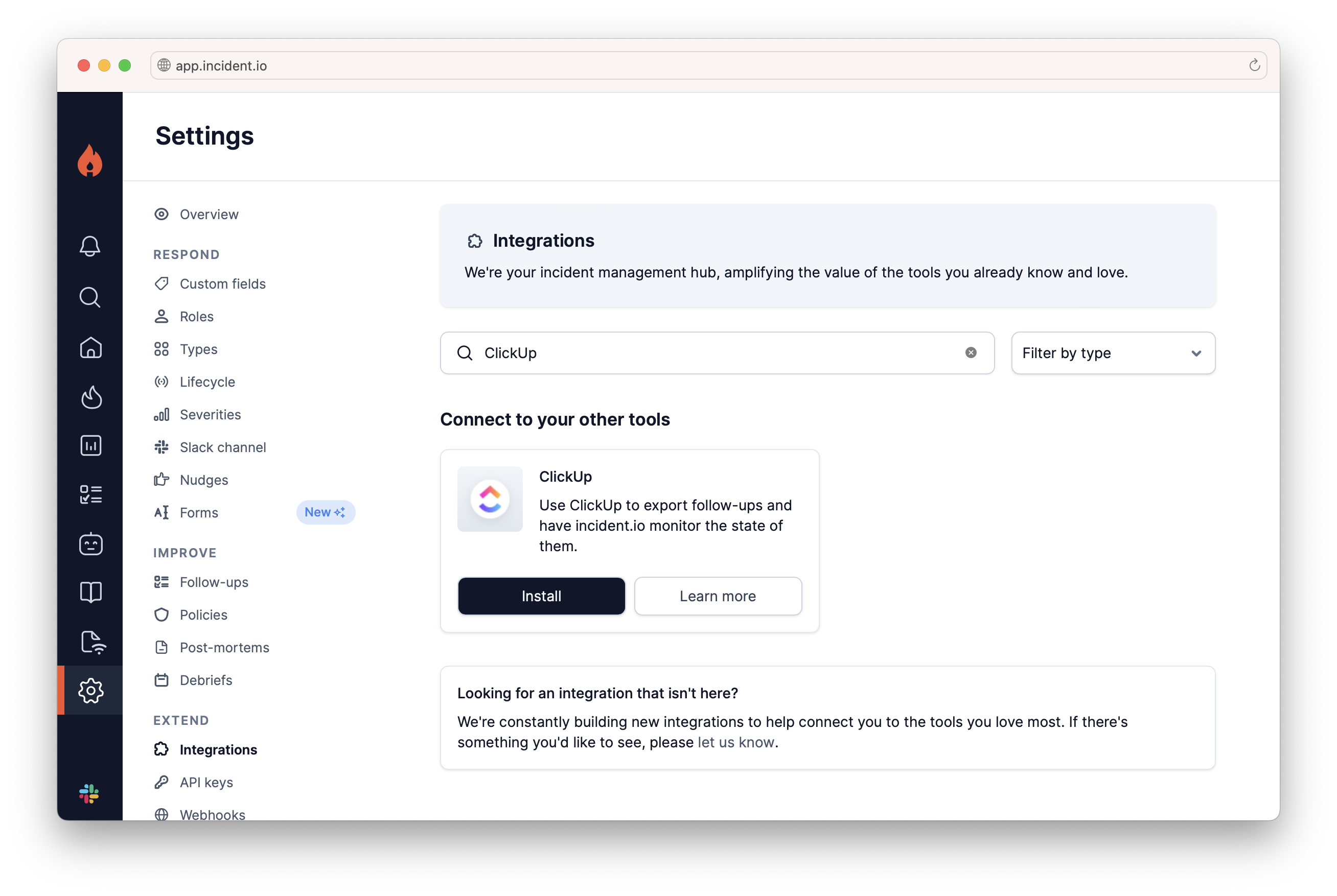
Hit Install on ClickUp. Integrations settings filtered to ClickUp, with the ClickUp card and its Install button
  1. Generate a ClickUp Access Token
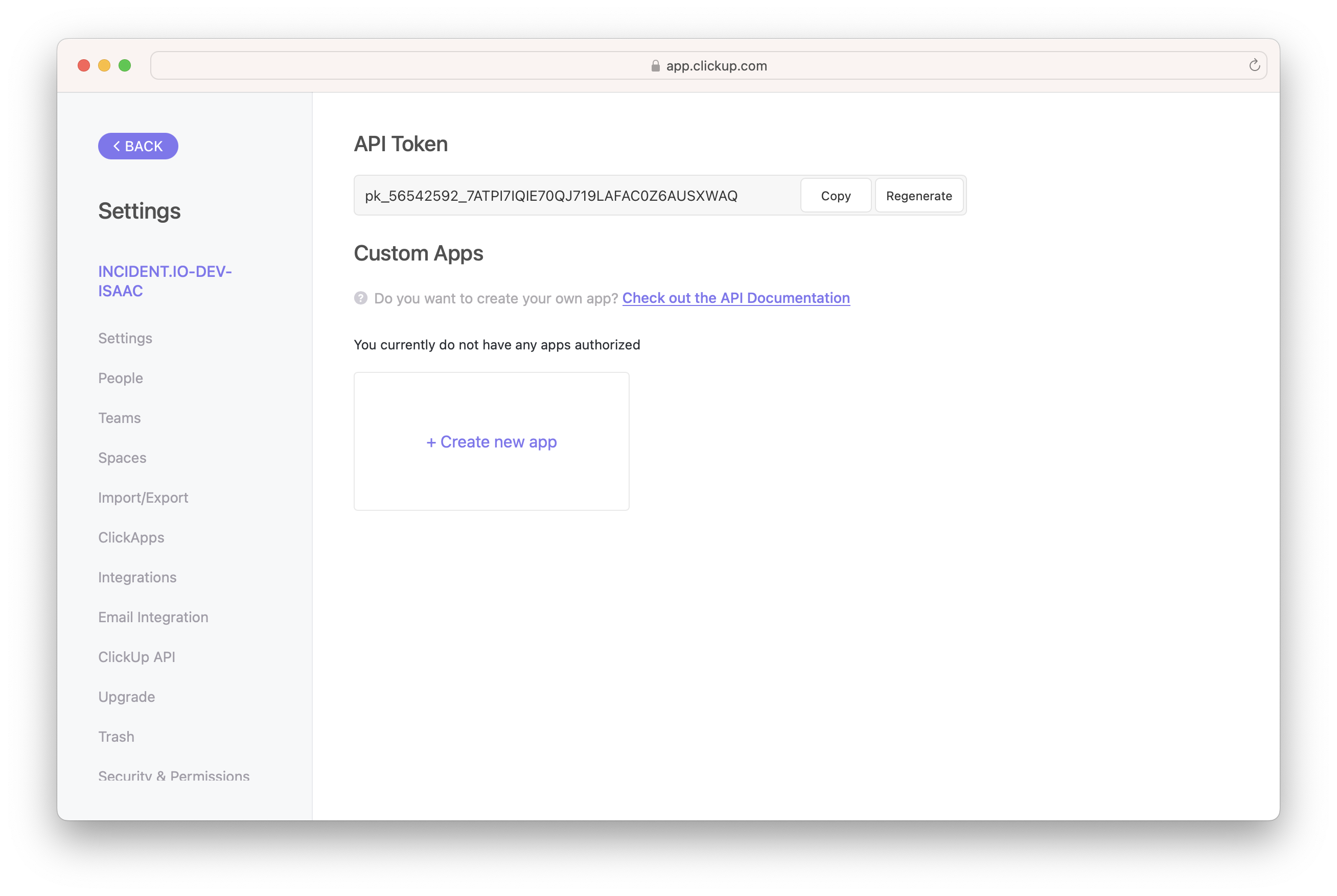
Log in to ClickUp, click on your profile photo in the bottom-left, then Apps. Generate an API Token, and copy it to your clipboard. ClickUp settings showing the API Token field with Copy and Regenerate buttons Now head back to the incident.io dashboard.
  1. Paste the generated API key into the incident.io pop-up
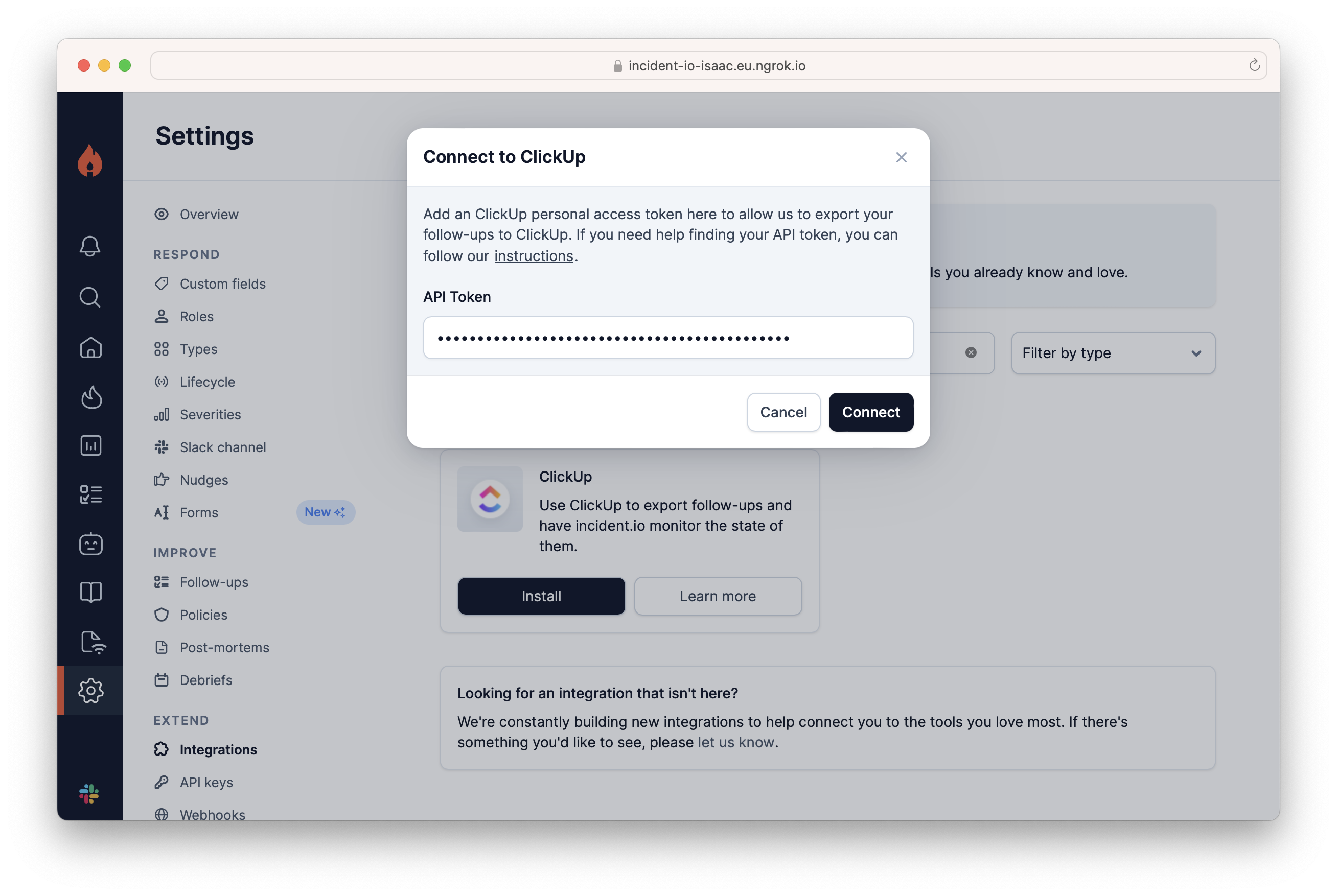
Connect to ClickUp modal with the API Token pasted in and a Connect button That’s it If you run into any issues, get in touch